

Outgoing Email - Google SMTP (
How Do I?

ISSUE: confirmation emails sent from the website aren’t going through.
- admin email notifications when website forms have been filled out
- customer confirmation emails thanking them for their form submission, etc.
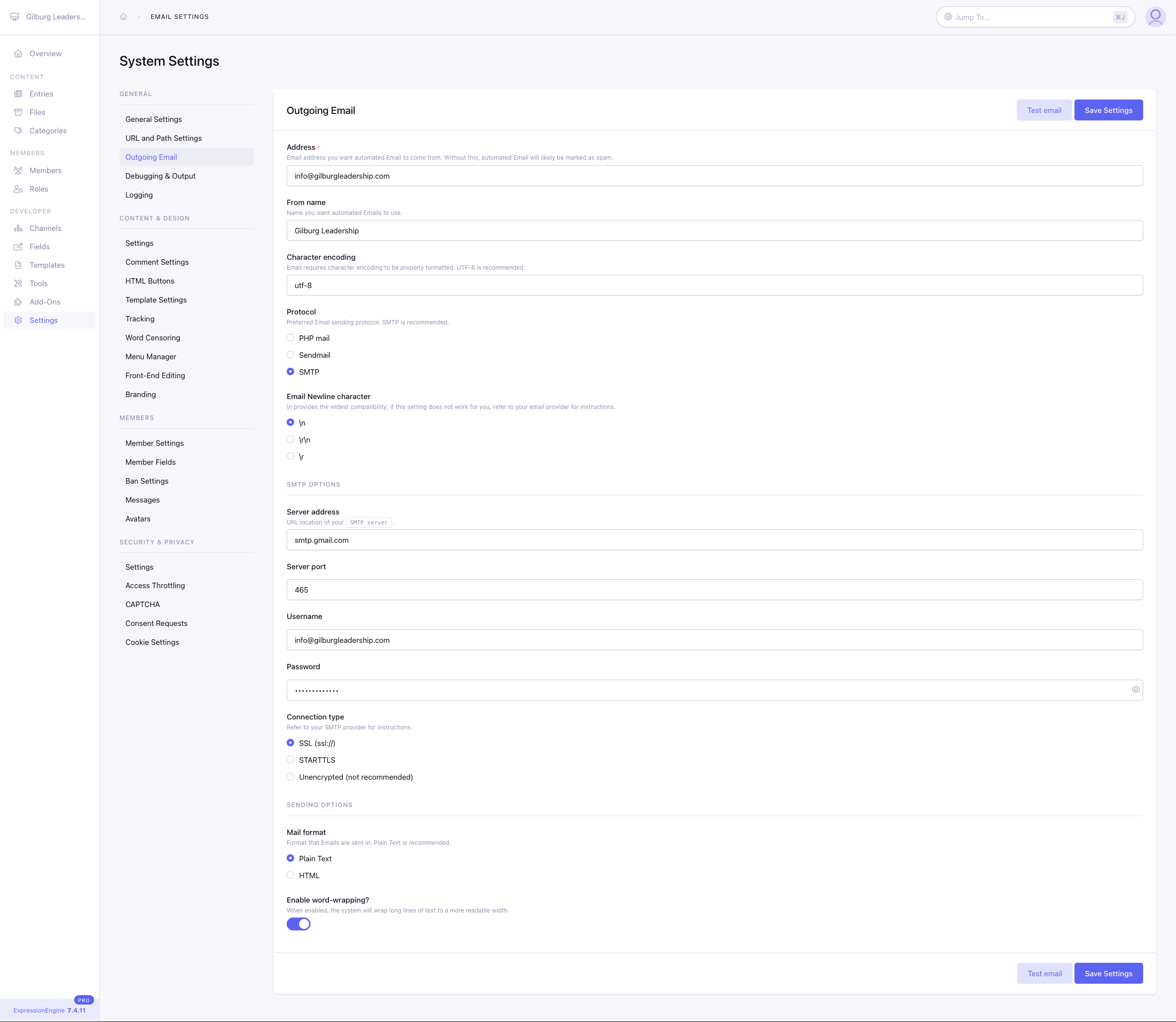
When testing the Google SMTP settings that we have configured following the steps here: https://u.expressionengine.com/article/using-gmail-smtp-to-send-emails-from-your-website it keeps failing saying cannot send test email at this time.
See attached screenshot of the current Outgoing email settings.
We used an actual email account (that can send out and receive emails just fine) We used App password on the password field We selected \r\n in Email Newline Character
We’ve also tried using Server Port: 587 and Connection type: STARTTLS, but didn’t work.
Not sure what I’m missing here.

It’s possible you have to use an app password, if you aren’t already. That, and you might have to enable “Less Secure Apps” in the Gmail settings. The overall instructions for integrating ExpressionEngine are probably still correct, but Google tends to change the norms around passwords.
https://knowledge.workspace.google.com/kb/how-to-create-app-passwords-000009237
https://support.google.com/accounts/answer/6010255?hl=en

I’ve been there! Double-check you’ve generated a fresh App Password and have 2-Step Verification enabled. Make sure you’re using smtp.gmail.com, port 465, with an SSL connection.
If that doesn’t work, consider switching to a dedicated email service like SendGrid or Mailgun. These services are built for website email sending and can save you a lot of troubleshooting time.