

Integrating EE Consent Module with Google Consent Mode
How Do I?

Hello,
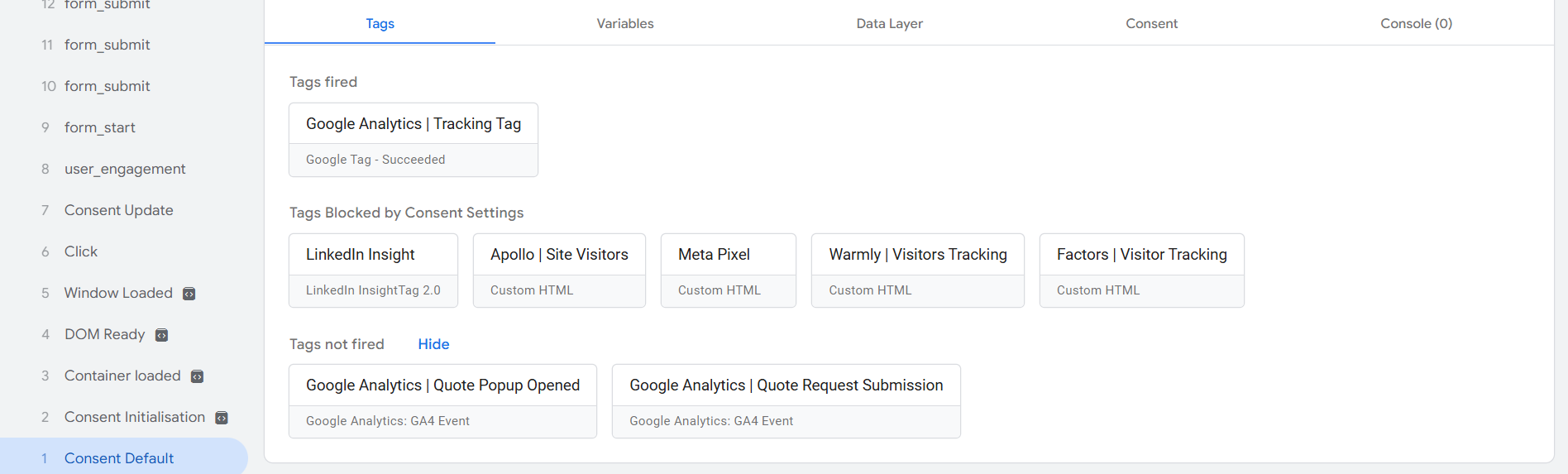
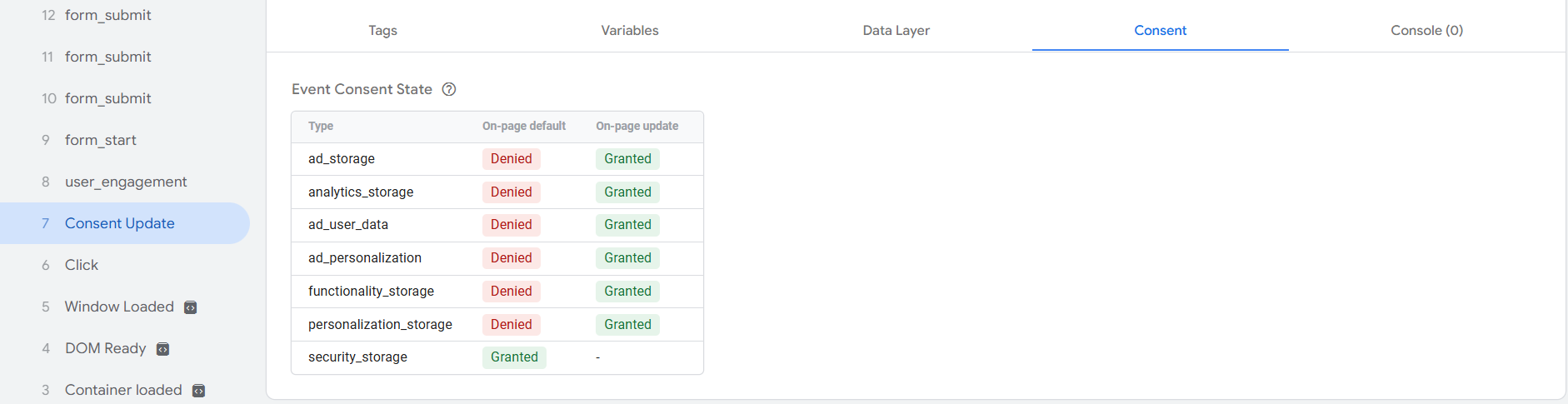
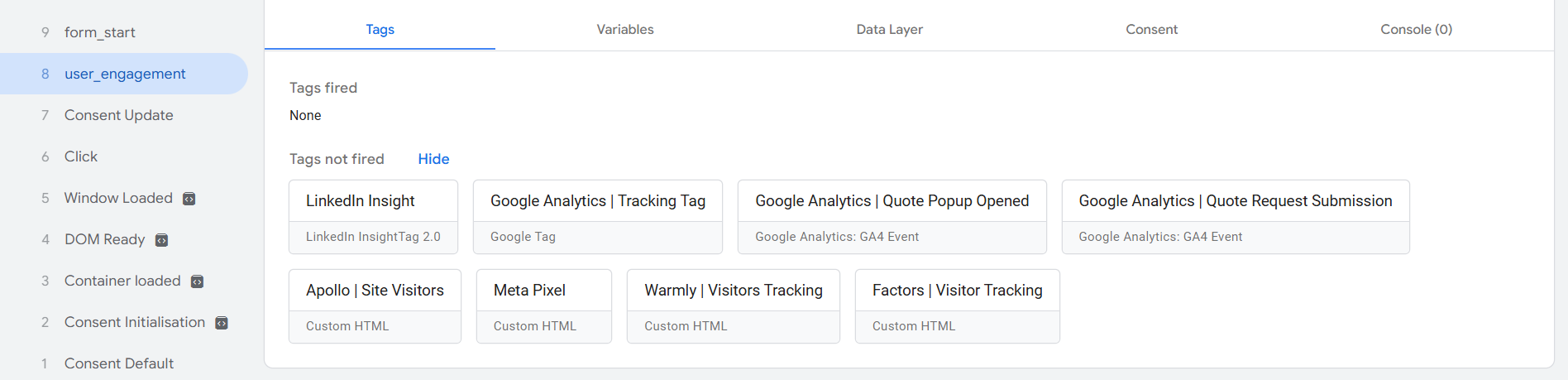
Looks like I successfully integrated the EE consent module with Google Consent Mode, however not all tags are firing in Google Tag Manager. Its probably some setting in GTM console itself. However, I wanted to check with you fine folk and see how you set this up…. Maybe I could get some better ideas on how to accomplish this for future websites and improve this one. I don’t want to use any consent management platforms.
I took the gtag.js approach:
<head>
    [removed]
        window.dataLayer = window.dataLayer || [];
        function gtag() { dataLayer.push(arguments); }
        gtag('consent', 'default', {
            'ad_storage': 'denied',
            'ad_user_data': 'denied',
            'ad_personalization': 'denied',
            'analytics_storage': 'denied',
            'functionality_storage': 'denied',
            'personalization_storage': 'denied',
            'security_storage': 'granted',
            'wait_for_update': 500
        });
        gtag('config', 'GA4-ID');
    [removed]

    <!-- Google Tag Manager -->
    [removed](function(w,d,s,l,i){w[l]=w[l]||[];w[l].push({'gtm.start':
    new Date().getTime(),event:'gtm.js'});var f=d.getElementsByTagName(s)[0],
    j=d.createElement(s),dl=l!='dataLayer'?'&l='+l:'';j.async=true;j.src=
    'https://www.googletagmanager.com/gtm.js?id='+i+dl;f[removed].insertBefore(j,f);
    })(window,document,'script','dataLayer','GTM-ID');[removed]
    <!-- End Google Tag Manager -->
</head>
<body>
    {cookie-banner-code}
    [removed]
        // Handle "Accept All" button click
        document.querySelector('.gn-btn-inv').addEventListener('click', function() {
            gtag('consent', 'update', {
                'ad_storage': 'granted',
                'ad_user_data': 'granted',
                'ad_personalization': 'granted',
                'analytics_storage': 'granted',
                'functionality_storage': 'granted',
                'personalization_storage': 'granted'
            });
        });

        // Handle "Decline Optional" button click
        document.querySelector('.rd-btn').addEventListener('click', function() {
            gtag('consent', 'update', {
                'ad_storage': 'denied',
                'ad_user_data': 'denied',
                'ad_personalization': 'denied',
                'analytics_storage': 'denied',
                'functionality_storage': 'denied',
                'personalization_storage': 'denied'
            });
        });

        // Handle individual preferences save
        document.getElementById('consprefs').addEventListener('click', function() {
            let adConsent = document.querySelector('#acceptee:cookies_targeting').checked ? 'granted' : 'denied';
            let analyticsConsent = document.querySelector('#acceptee:cookies_performance').checked ? 'granted' : 'denied';
            let functionalityConsent = document.querySelector('#acceptee:cookies_functionality').checked ? 'granted' : 'denied';

            gtag('consent', 'update', {
                'ad_storage': adConsent,
                'ad_user_data': adConsent,
                'ad_personalization': adConsent,
                'analytics_storage': analyticsConsent,
                'functionality_storage': functionalityConsent,
                'personalization_storage': functionalityConsent
            });
        });
    [removed]
</body>
Also, if you have an idea of what setting I’m missing in GTM to get the tags to fire after consent has been given, would appreciate that.
Thanks, Viktor.

IGNORE - I re-read your question!
Hi Chris,
Thanks for the input. You are right, I ended up wrapping the consent default in {if consent:ee:cookies_performance}…{/if} like you suggested. I didn’t even notice that it would reset the consents back to denied when the page reloaded, or I would open another page. Good call!
I guess I have a whole new concern however, looks like google checks for defaults and consent settings every time a page loads. So I’m not sure what happens behind the scenes with this setup, since it only sets it once. Does google remember these settings for every IP address? I highly doubt it, however the cookies get added in the browser once I reload the page so dunno. The way most Tag Manager templates for consent banners work is it reads the first party cookies set by the users selection and updates the Google Tag manager every time you load a page.
In case of EE, it saves the cookie exp_visitor_consents decoded value of which is:
{"1":{"has_granted":true,"timestamp":1731429249},"2":{"has_granted":true,"timestamp":1731429249},"3":{"has_granted":true,"timestamp":1731429249}}f3abbfabe3b418aa9cb19d4a89448ec84ce43c7a24b79f264362284d3cea9bf0c350fd73102c863bb02e11eb9cff34f7So for if using the tag manager option and not the gtag.js, it would read the cookie see that “1”:{“has_granted”:true and it would set functionality cookies to granted, etc. I tried using one of those universal templates available in the Community Template Gallery, but I can’t seem to get it to work correctly. Anyway, it seems to be working the way it is now so I’ll just leave it this way until I have more time to mess with templates or even just build a custom one for EE.
Thanks again for the help!
