Weird characters on emails send using Outlook 365 SMTP
How Do I?

I’m having an issue regarding some weird characters appearing on the emails received from EE, send through an outlook SMTP account with EE. This error occur regardless if it’s from a form or from the utilities tool.
The outgoing email configuration on the EE panel is set to use the outlook server address: “smtp.office365.com”, the newline character “\r\n” and character encoding “utf-8” (For Portuguese - Brazil), I tried using and I’ve tried both word-wrapping configurations, on and off, but still get the same error.
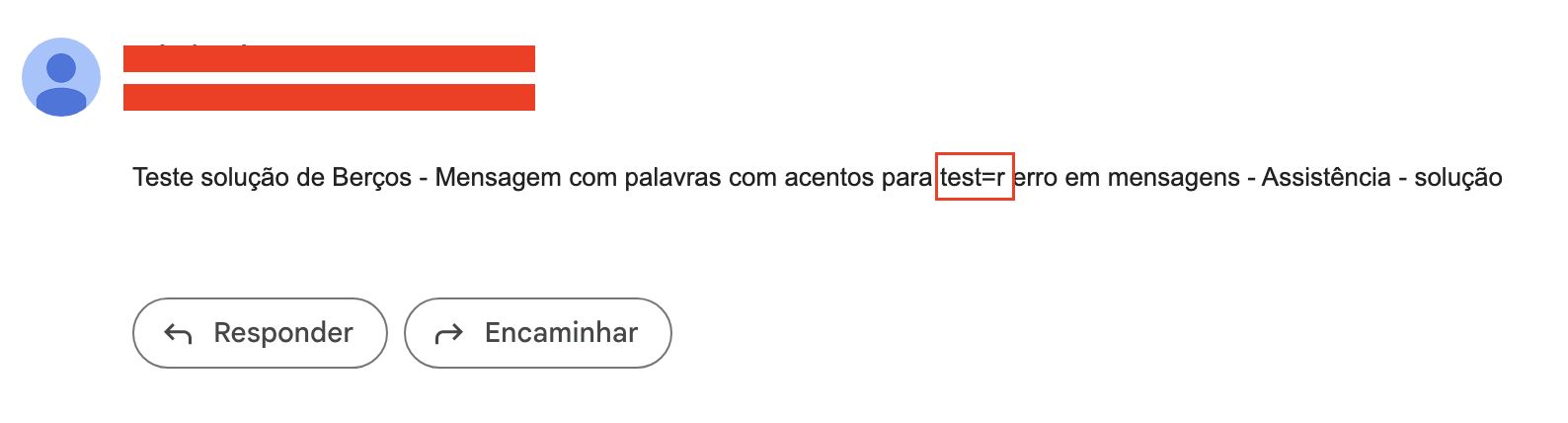
Original phrase: “Teste solução de Berços - Mensagem com palavras com acentos para testar erro em mensagens - Assistência - solução” Email received: “Teste solução de Berços - Mensagem com =alavras com acentos para testar erro em mensagens - Assistência - so=ução”
Another example on the image attached
Does anyone ever experience anything similar? I would really appreciate it if you could point to some direction regarding how to fix this, given that the meaning of the sentence could be altered depending on where the weird character appears.