

Import Channels
How Do I?

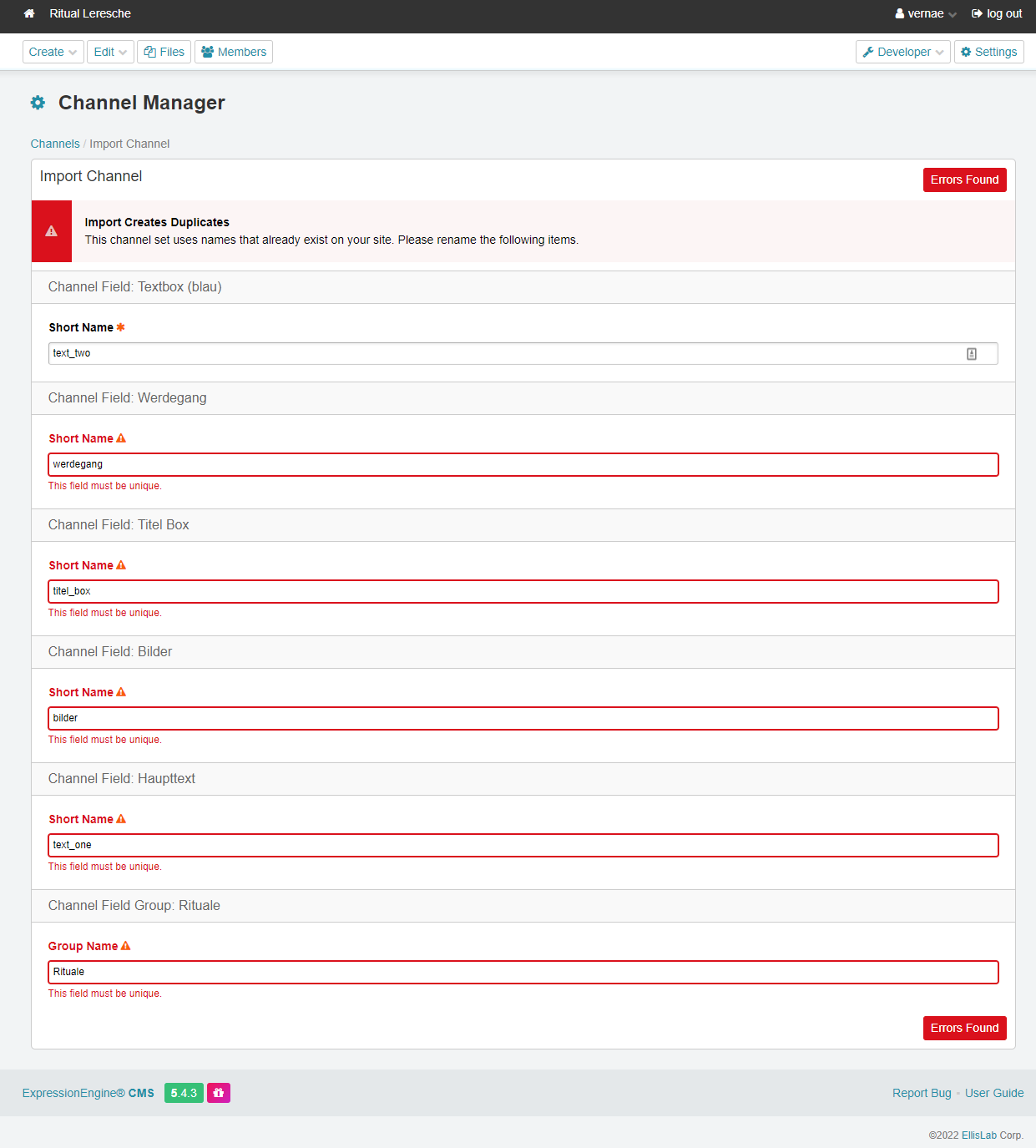
I want to import channels from an EE 5.4.3 installation to a new EE 5.4.3 installation. But there is an error when importing the second channel saying:
Import Creates Duplicates This channel set uses names that already exist on your site. Please rename the following items.
See also screenshot.
Any idea why this happens? Thanks

There is a longstanding bug (or perhaps feature) that affects the channel import part of EE:
- when you create a channel set file EE also adds to that channel set the definitions of all the fields that the channel uses.
- when you then import that channel set, EE (unsurprisingly) tries to import both the channel definition and the fields defined.
The issue is that EE makes (it seems) no attempt to allow for the possibliity that you might already have fields with the same name, and if you try to import a second field with that name you get the kind of confusing form response you illustrate in your post.
- not importing duplicate fields is a good thing - so that part of what is going on is sensible
- not checking during a channel import whether a field exists and trying to import it a second time is not a good thing - it would make sense for EE to be a bit more discursive during the import process - e.g. offering to rename the fields (it has a built in method to do just this, so it would not be hard to do) or giving you the option to not import duplicate named fields etc.
This is most notable when you import more than one channel set from one site to another, since it is quite possible that the multiple channels share some field definitions - after the first channel is imported any subsequent attempt will throw this error. For as long as this duplicate field issue is not mitigated it makes the channel import feature considerably less useful.
There is (unfortunately) not much you can do about this - the import dialog does not let you skip fields, so all you can do is rename the duplicate fields manually and then go back into the channel field definitions and ‘correct’ the import to point the right fields, and then go back and delete the redundant mis-named fields.
One thing to try is, when you are renaming the duplicated fields, rename them by putting something like a_ before each name: that way when it comes to sorting out the correct field allocations the ‘wrong’ fields will appear at the top of the channel field list, and when it comes to removing the unnecessary fields again they will sort to the top of the fields list.
In theory you could edit the channel set import file (which is just json if I remember rightly) to remove the instructions to import the duplicated fields, but since the format of this file does not appear to be documented anywhere the scope to break things while doing is significant.
HTH