

EE7.5.5 & Xampp - File Manager: Unable to upload images above 25kb.
Development and Programming

Hey all,
Recently setup a new install of Xampp (8.2) on a Windows 11 PC and got an EE 7.5.5 site up and running ready to start building.
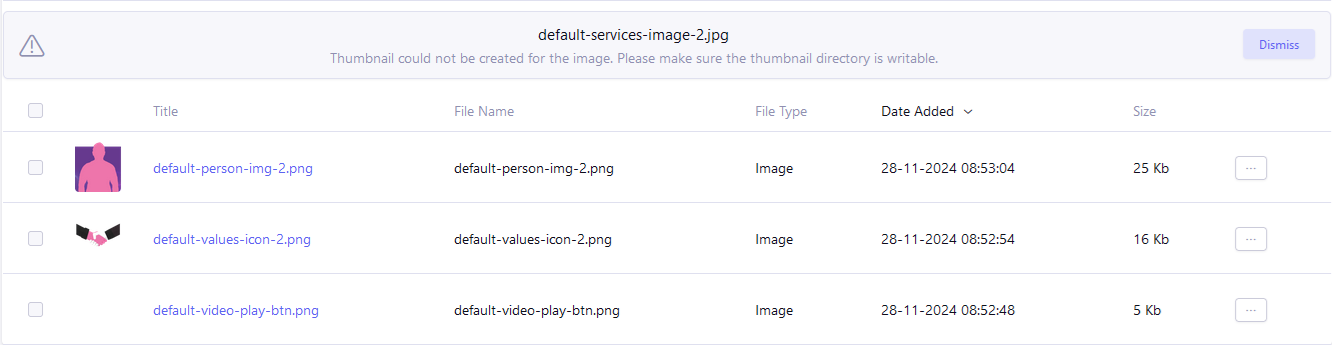
All works fine until I attempt to upload images. For smaller images 5KB, 16KB upto 25KB it worked as expected the image uploaded fine and appeared in the file manager. However, anything larger than that and I am greeted by the following error message:
“Thumbnail could not be created for the image. Please make sure the thumbnail directory is writable.”
Xampp is running as administrator.
Checked that GD module is installed and enabled it is on both counts.
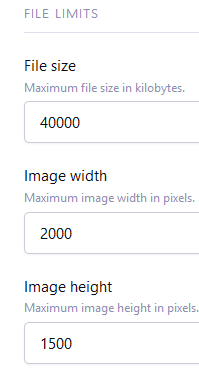
I have tried setting file limits on the upload folder also tried without and I still get the same results.
Checked the permissions for the actual upload folder they are set to allow the administrators group full access I’m in the admin group and I am also the owner of the folders (Image_uploads & _thumbs).
Updated php.ini values altering the values to be both larger and smaller and got same results everytime.
Current values are as follows:
- max_execution_time=120
- max_input_time=60
- max_input_vars = 1000
- memory_limit=512M
- post_max_size=40M
- upload_max_filesize=40M
I then had the crazy idea to try different versions of Xampp/PHP. The versions I tried are listed below it did not make a difference I got the same results across the board:
- xampp 8.0/php 8.0
- xampp 8.1/php 8.1
- xampp 8.2/php 8.2
I have never had this issue before across numerous versions of both EE and Xampp and having tried all the troubleshooting I would normally attempt I really do feel like I am very much bashing my head against a brick wall. If anyone can lend me aid with any ideas, I’ll take it and would be eternally grateful.

Would it be possible to pull this branch/make these changes to your site and try again?
https://github.com/ExpressionEngine/ExpressionEngine/pull/4628
Hiya Matt,
Thanks for the reply. I pulled your changes and tried my uploads again but alas the same error still displays.

Even though you mentioned that the permissions for the upload folders are set correctly, double-check the following:
Make sure that the _thumbs directory is writable by the web server. Sometimes, simply being the owner doesn’t grant the necessary permissions for the server to write files. Right-click on the folders (Image_uploads and _thumbs geometry dash lite), go to Properties, then Security, and ensure that the Everyone group has Full Control or at least Modify permissions.

Very much obliged for your response. After implementing your changes, I re-uploaded my files, however the error message remain unchanged.