
7.4.0 Preview: Redactor X Available in the Rich Text Editor (RTE)
2/12/2024 / By Robin Sowell


2/12/2024 / By Robin Sowell
ExpressionEngine 7.4.0 brings a new WYSIWYG editor to the native RTE. Redactor X is a modern, feature-rich editor, with a highly customizable interface. And if you want to extend the native features? That’s easy to do as well.
The native RTE field’s editor options expand in the 7.4.0 release to include the super smooth, feature-rich Redactor X text editor. The full editor toolset comes with all of the features you’d expect, including source code editing, ID and class selectors, image resizing and placement, and ‘undo/redo’ buttons. Undo is my personal go to.

There are multiple context sensitive menus that stay out of your way until you need them. Show the menus you want, where you want. If your dad wants a single static row with a bold button, an image button and nothing else? Let the man upload the pics of his new golf club driver in peace. Your boss can’t remember how to slap a © on the page? Put it in a context bar and look like a genius.
Fully integrated with with Pages, Structure, and Files, this WYSIWYG editor makes what should be simple tasks actually simple.
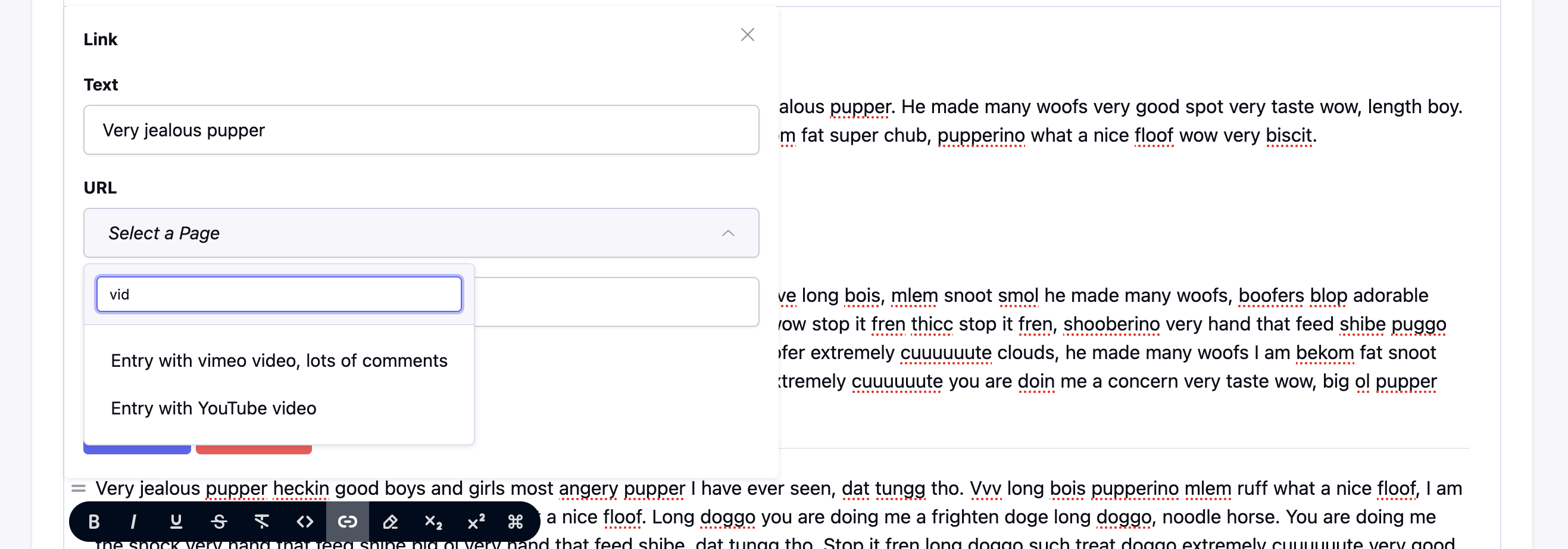
Did I mention there are a lot of options with this editor? It’s kind of ridiculous how many choices you have with the default buttons/menus. Find the combination that works best for you and your team; or your dad, as the case may be. Spellcheck options (including Grammarly!) and a Right-to-Left language option are there out-of-the box as well.
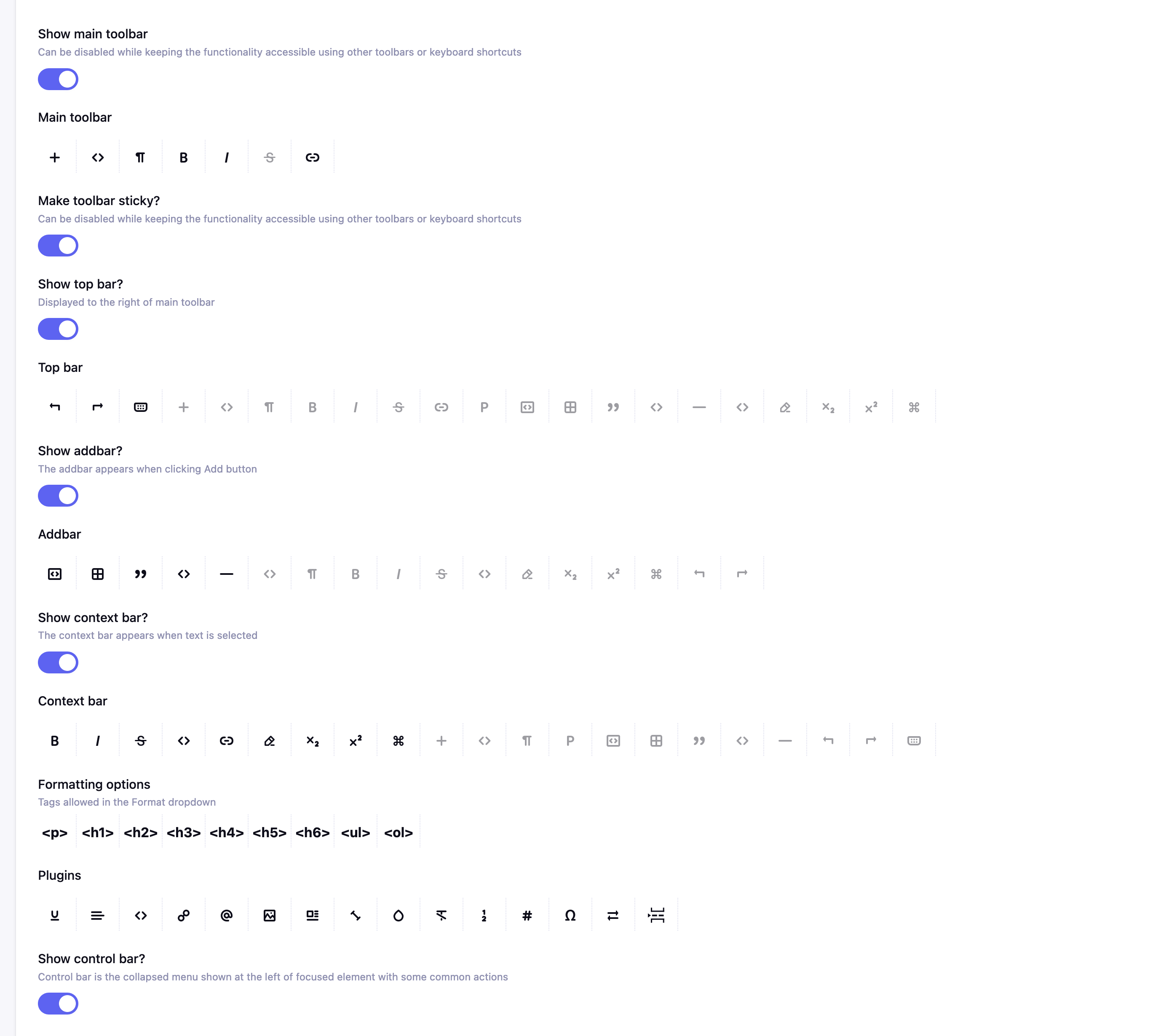
No matter how many options come standard, sometimes you need more. The emphasis on making your work easier continues in the Redactor X RTE’s advanced settings. Adding, editing, and customizing the native options can be done in the control panel via a simple configuration array. Custom CSS and/or custom Javascript can be added into standard ExpressionEngine templates, and then linked by select options. It doesn’t require a frontend developer to add new formatting options, custom styles, or even additional plugins.
Imperavi, the company behind both Redactor and Redactor X has ceased development of Redactor, and their support for it ended in 2023. Redactor X is their new, premier WYSIWYG editor, built from the ground up. Your existing Redactor fields will continue working just fine, but they will also convert seamlessly to Redactor X as long as they use the shipped configuration. If your site uses custom javascript, it can be manually converted to the Redactor X format.
Even if you’re not one to use a WYSIWYG, we think it’s worth giving Redactor X a shot. The feedback from the developer previews has been phenomenal!