


Yumpu Embed
Yumpu Embed for ExpressionEngine adds a channel field that browses your Yumpu account or uploads a PDF straight from the publish page, customizes the flipbook player with a live preview, and renders it in templates with one tag — plus MCP tools so AI assistants can manage documents through MCP Server For EE.

Yumpu Embed for ExpressionEngine
Manage Yumpu flipbooks without leaving ExpressionEngine: browse your Yumpu account or upload a PDF straight from the entry publish page, customize the player with a live preview, edit or delete documents from the control panel, hand clients embed code styled like your site, and render it all in templates with one tag.
Highlights
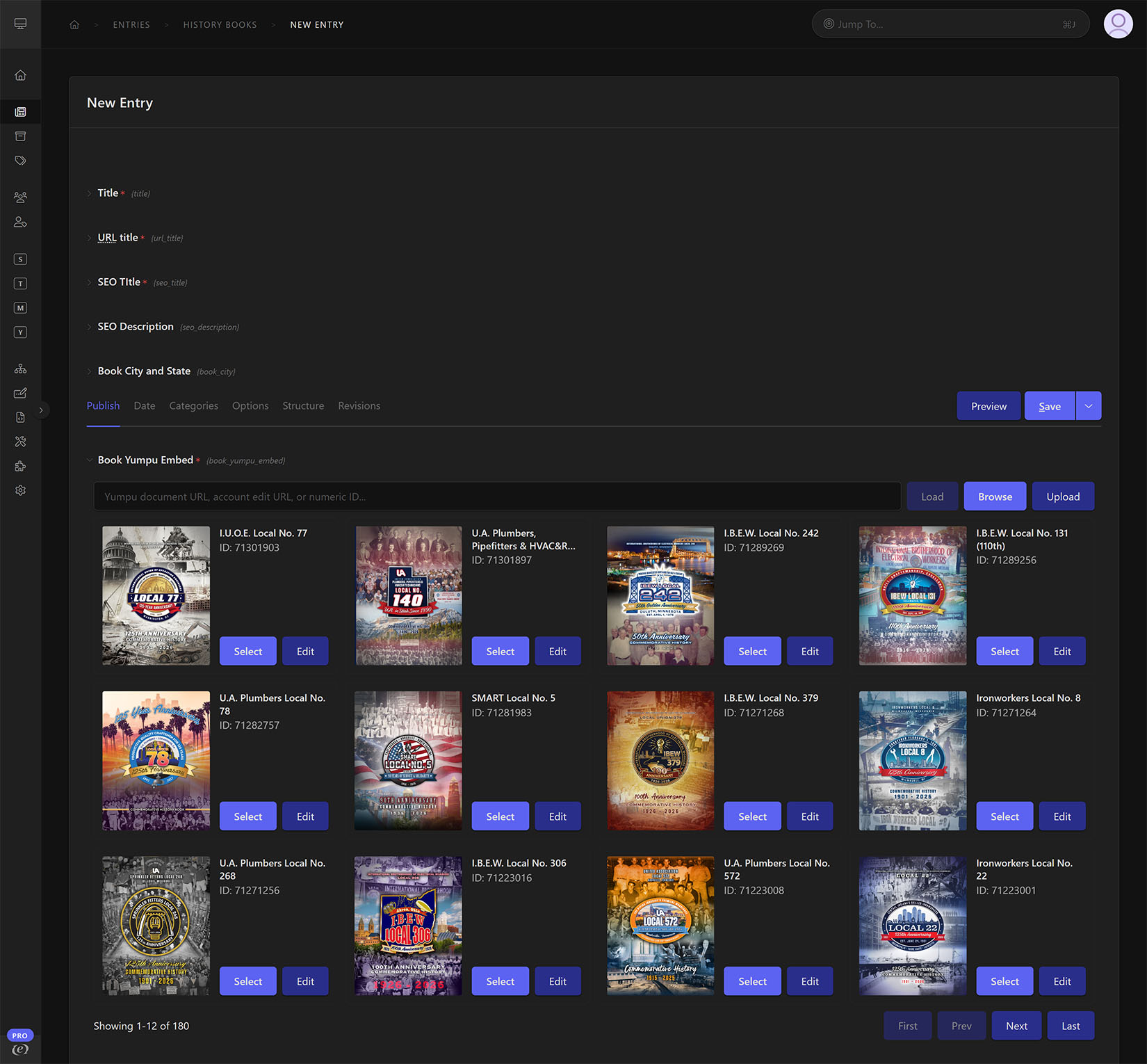
- Browse + thumbnails: Pick the right publication quickly from your account using cover thumbnails and titles — paginated, cached, and rate-limit friendly — or paste any Yumpu document URL/ID to load it directly.
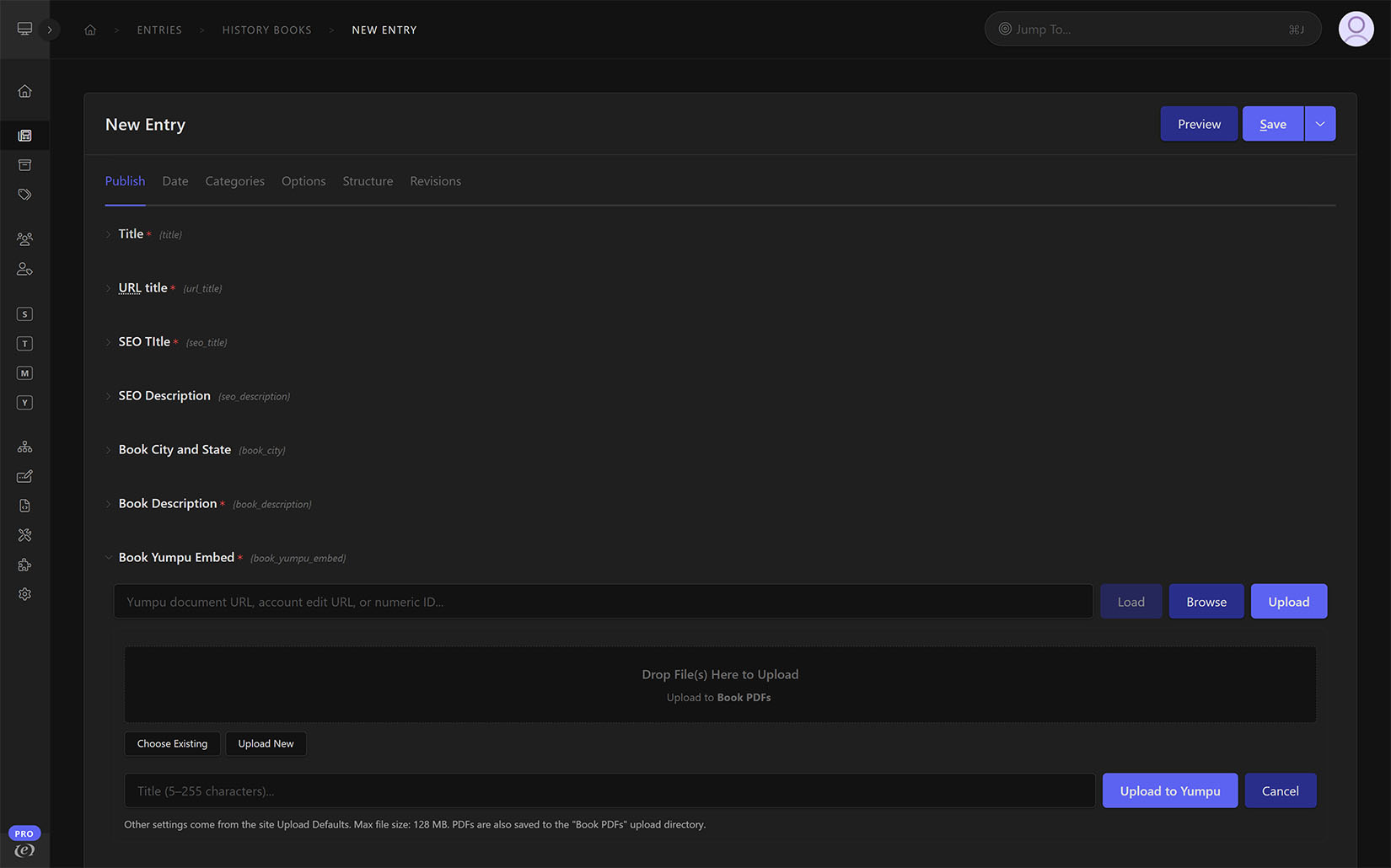
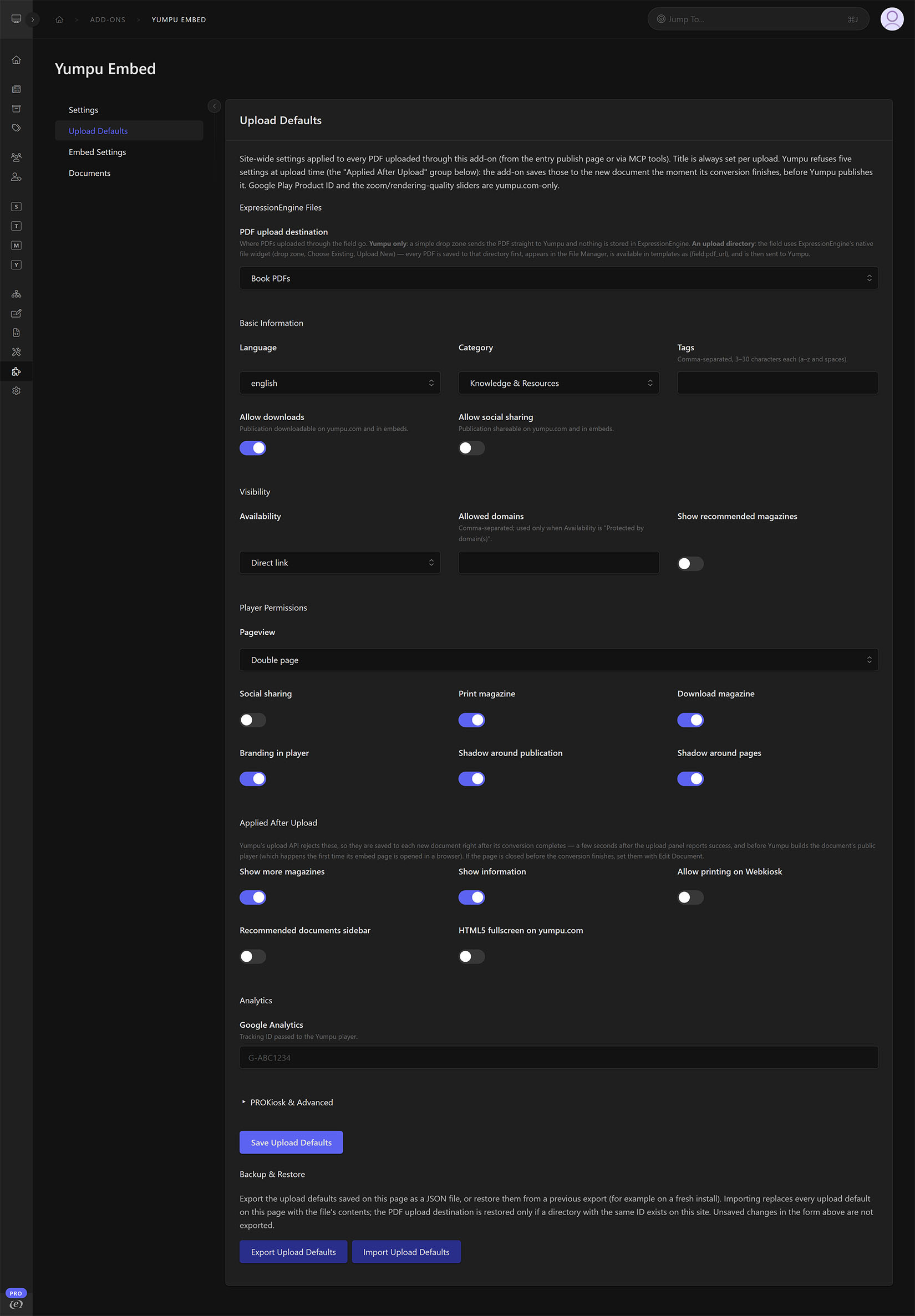
- Upload from EE: Upload a PDF to Yumpu from the field, watch upload and conversion progress, and have the finished document selected automatically. Site-wide Upload Defaults (visibility, language, category, downloads, sharing, player, analytics, PROKiosk) apply to every upload, with export and import to move them between sites.
- File Manager integration: Point uploads at an ExpressionEngine upload directory and every PDF lands in the File Manager first — Choose Existing,
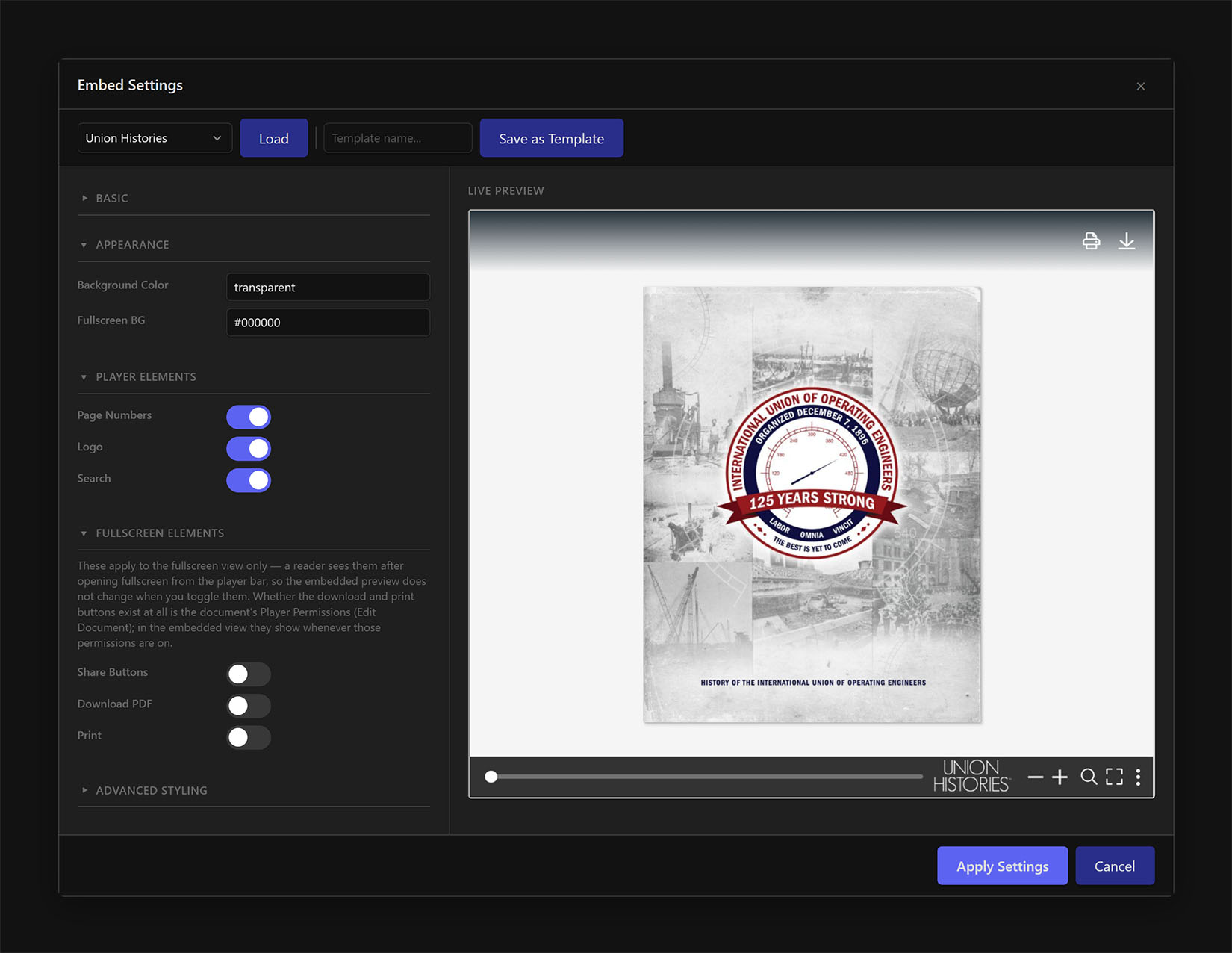
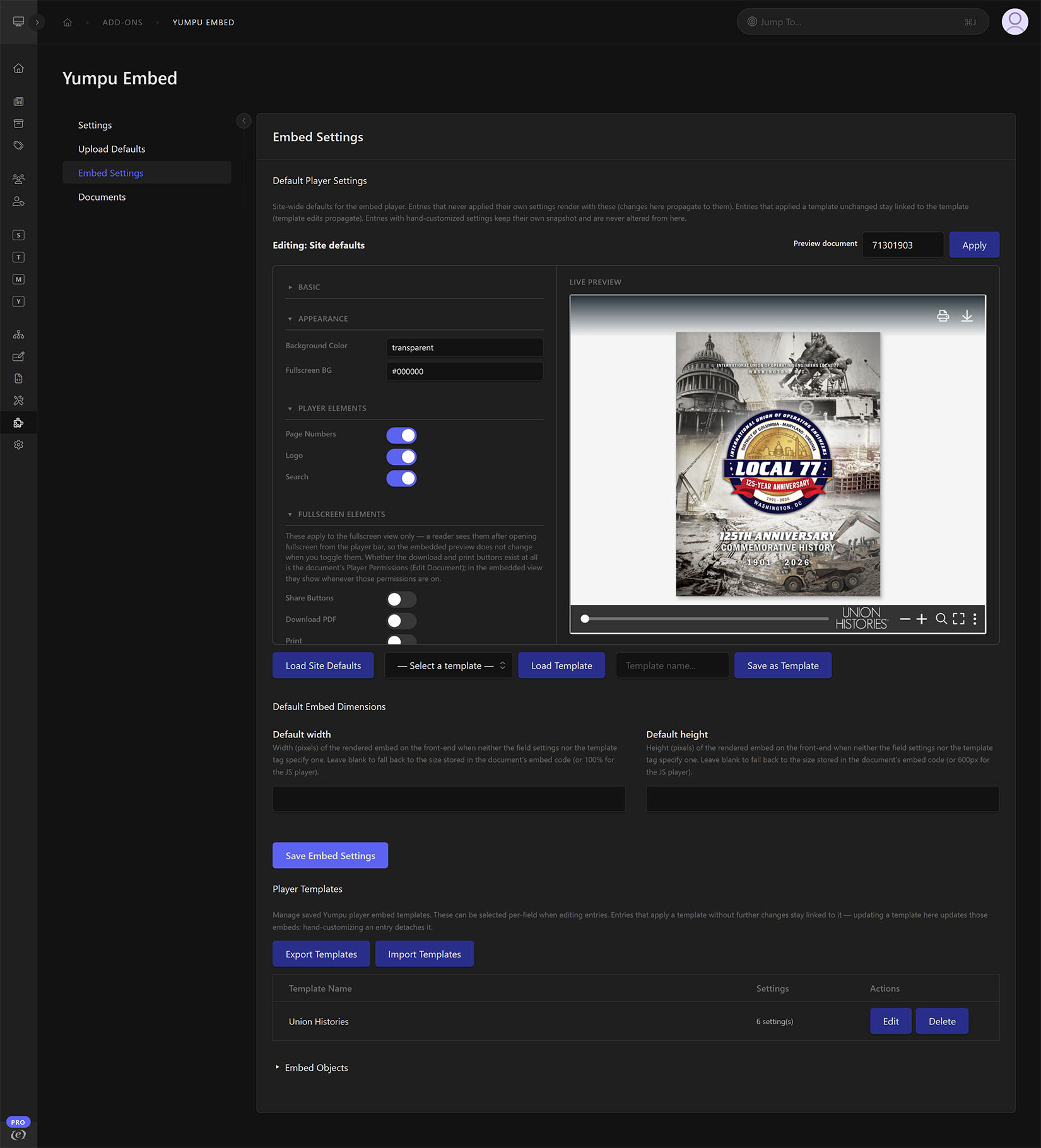
{field:pdf_url}in templates, and Link PDF to attach a File Manager PDF to a document that was uploaded elsewhere. A PDF chosen but not yet sent to Yumpu survives the entry save. - Customizable player: An Embed Settings editor with live preview for every option the Yumpu player honors, plus Advanced Styling (header title and fonts, menubar, table of contents, page overview) carried by a Yumpu embed object the add-on keeps in sync. Site-wide defaults, reusable player templates that stay linked to the entries using them, and per-entry customizations — template and site-default edits reach linked entries immediately.
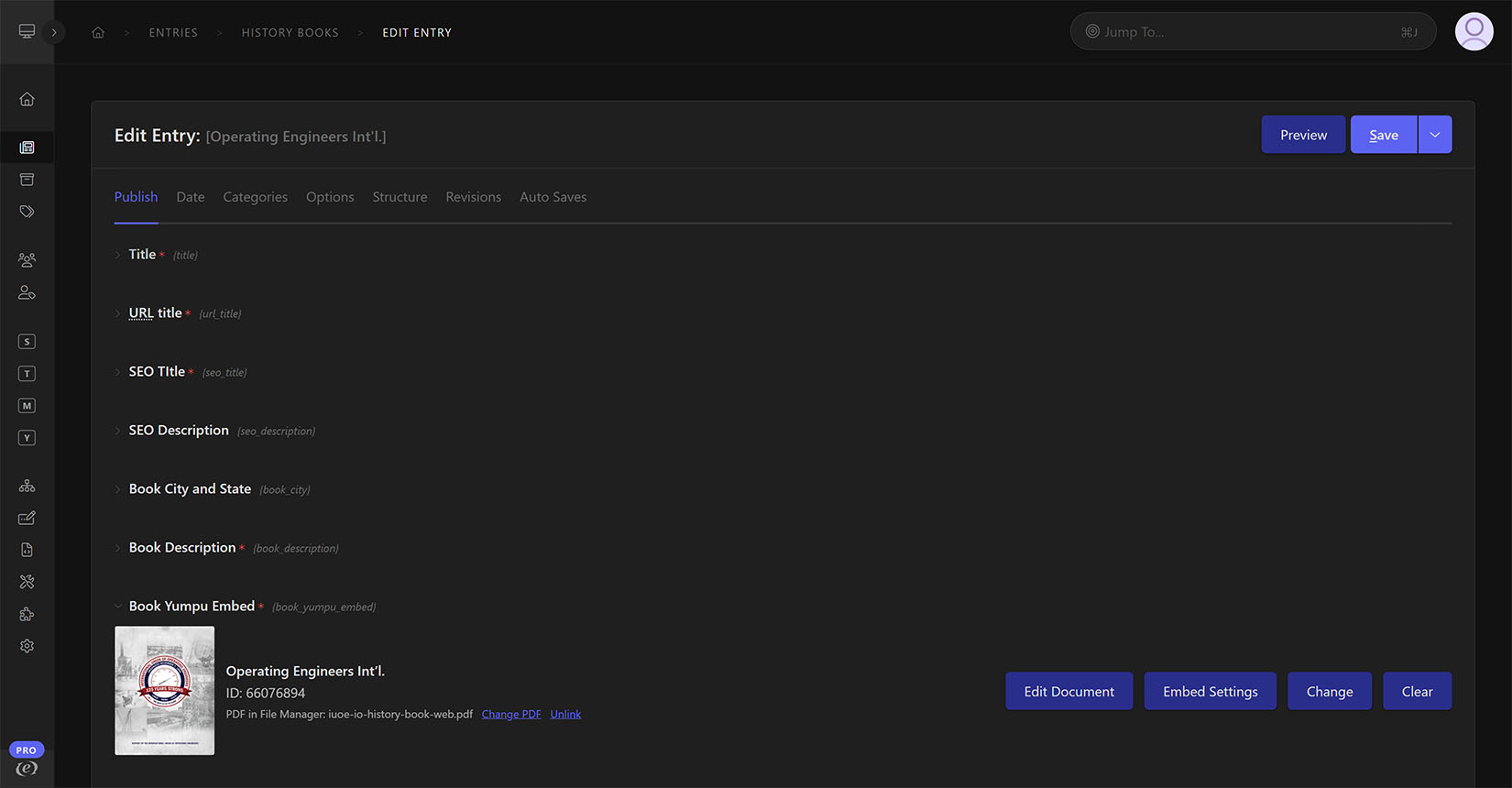
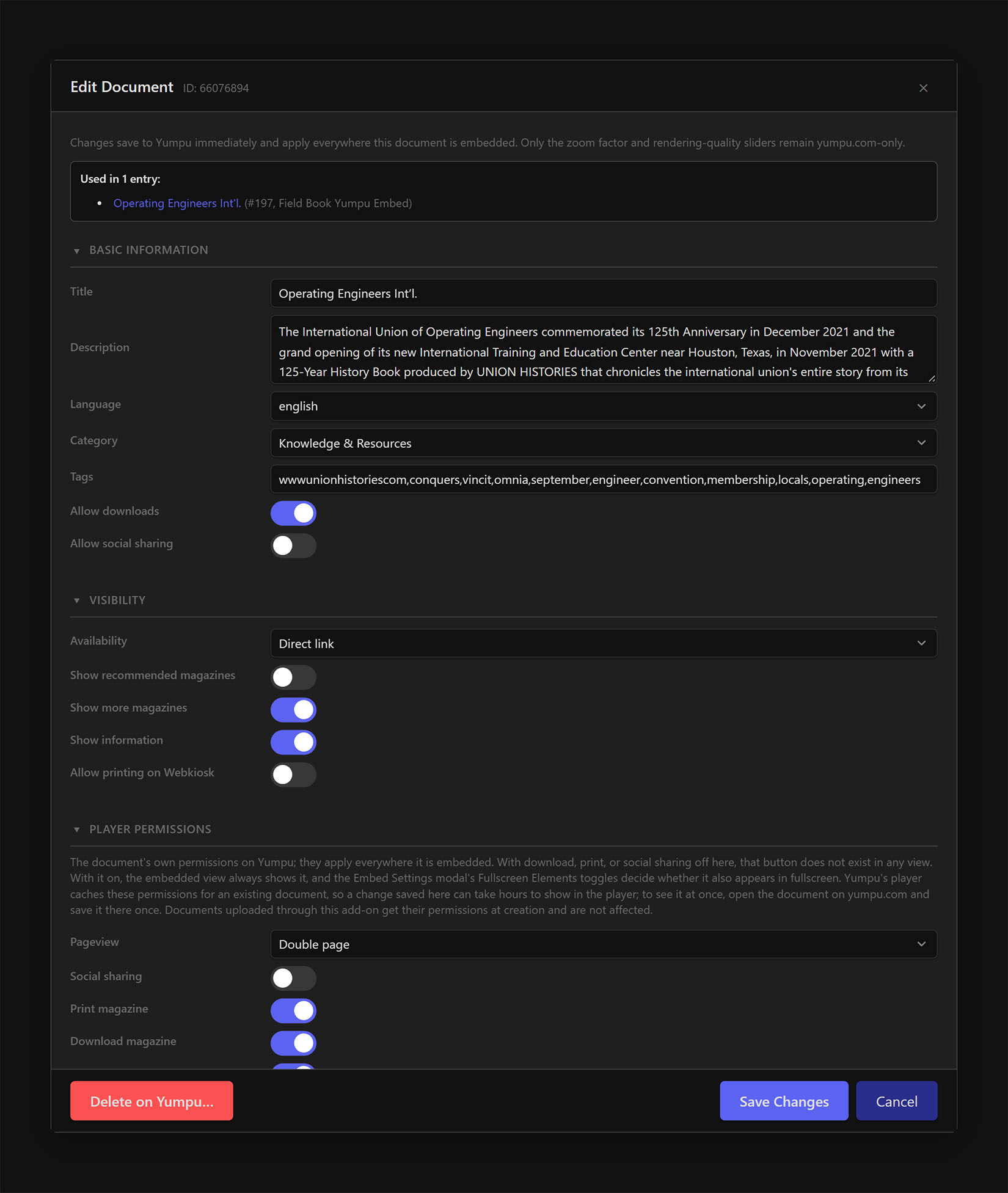
- Document management: Edit a document’s title and Yumpu settings from the entry, a Browse card, or the Documents page; see every entry that uses it (plain fields, Grid columns, Fluid blocks); and, as a Super Admin, delete it on Yumpu with every placement cleared in one confirmed step.
- Embed code for clients: The same responsive iframe, iframe, and JavaScript snippets as the Yumpu dashboard, each with a Copy button — styled with your site’s player look through a durable share object per document, so a client’s embed matches your site and keeps its hash when you restyle.
- Grid and Fluid: The field works as a Grid column and inside Fluid, with the same tags and modifiers.
- Editor-friendly: Works for any member who can create or edit entries — no Add-Ons Manager access required (managing player templates and deleting documents stay with administrators). Required fields validate properly, including live on the publish page.
- AI-ready: Nineteen MCP tools (documents, settings, embed code read and style, entry usage, delete, uploads from a URL or a File Manager PDF, upload progress with a ready field value, templates, field values with Link PDF and current-value merge, orphaned-embed find and delete, and a rate-limit quota read so bulk loops pace on numbers) register with MCP Server For EE, each annotated so AI clients know which are read-only and which are destructive. Entry saves report the Yumpu quota they spent in the save’s own result.
- Safe configuration: The API token is stored encrypted and shown masked; every failed Yumpu call is logged with the request shape and the API assumption it tested — never values, never the token.
- Consistent sizing: Default dimensions site-wide, per-field overrides, and per-render
width/height/player_settingstemplate parameters. All embeds on a page share one player instance. - Manual in the Control Panel: The full manual renders on the add-on’s Manual page in the Add-on Manager, with the same content online.
How it works
- Add a Yumpu Embed field to a channel and enter your Yumpu API token in the add-on settings.
- In the entry editor, Browse your account, Load a document by URL/ID, or Upload a PDF.
- Open Embed Settings to apply a template or tune the player, then render with
{field_name}. - Open Edit Document to change the document on Yumpu, see where it is used, or copy its embed code.
Requirements
- ExpressionEngine 7.2 or later on PHP 8.1 or later (with the
curlextension) - A Yumpu account and API token
- Optional: MCP Server For EE 1.0.0+ for the MCP tools (which itself needs PHP 8.2+)
Pricing & license
$79 per license, then $39 a year to renew. One license covers a single production site plus one related staging/development site; each additional production site needs its own license. Each license includes a year of updates. If it lapses, nothing stops working: ExpressionEngine shows an “expired” notice in the control panel until you renew. Commercial-use license — you may modify the add-on for your licensed site, but it may not be resold or redistributed except as part of a completed client site covered by a license. See the full license terms linked from the listing.
Support
Full documentation is linked from this listing and renders inside the Control Panel on the add-on’s Manual page. If something isn’t working, enable the EE Developer Log, reproduce the issue, and share the relevant entries with [email protected] — API failures are logged with their request shape, never tokens or values.