


Wyvern
A CKEditor 5 editor for ExpressionEngine that knows your site: images through the File Manager, links to pages and entries by typing @, a broken links overview and an AI writing assistant.
Wyvern is a WYSIWYG editor for ExpressionEngine, built on CKEditor 5. It works with your File Manager, your Pages or Structure tree and an AI writing assistant, so editors write the content and Wyvern takes care of links, images and clean HTML.
Part of ExpressionEngine sites since EE2, and still actively developed and used every day.
Key features
- A modern editor: Headings, lists, tables, media embeds, code blocks, find and replace and a word count, in the light or dark theme of the control panel.
- Links to your whole site: Pick a page, entry, template or file in the link balloon. Pages and Structure are shown as a tree.
- Type @ to link: Type @ and part of a title to insert a link, without opening a dialog.
- Broken links: One overview of every link to something that no longer exists.
- Files and images: Insert from the File Manager or Assets, or drop and paste images straight into the text.
- Responsive images:
srcset,sizes, width, height and lazy loading on your site, built from your image manipulations. No template changes needed. - AI writing assistant: Draft a text from the entry, or rewrite, shorten or translate a selection.
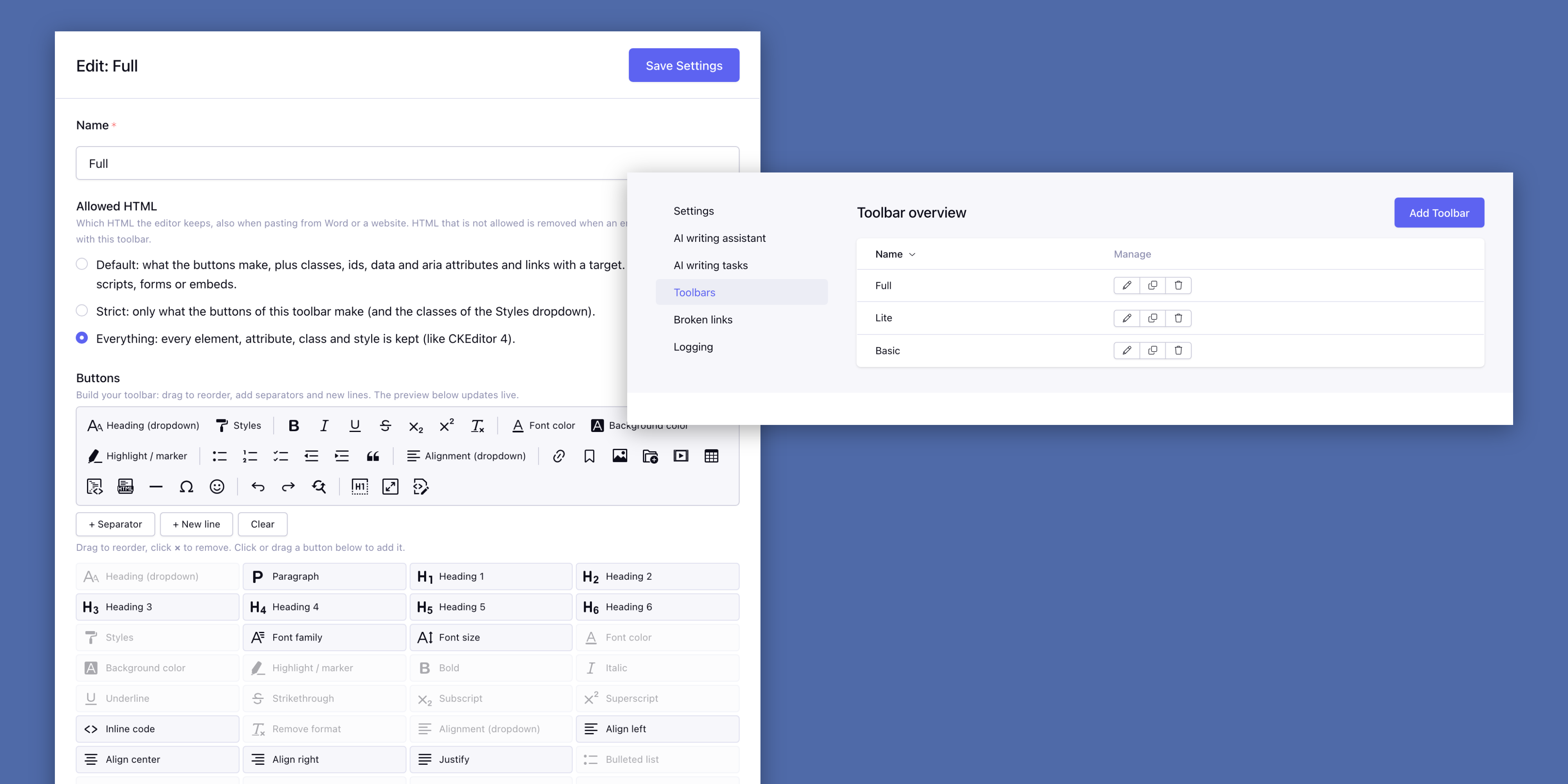
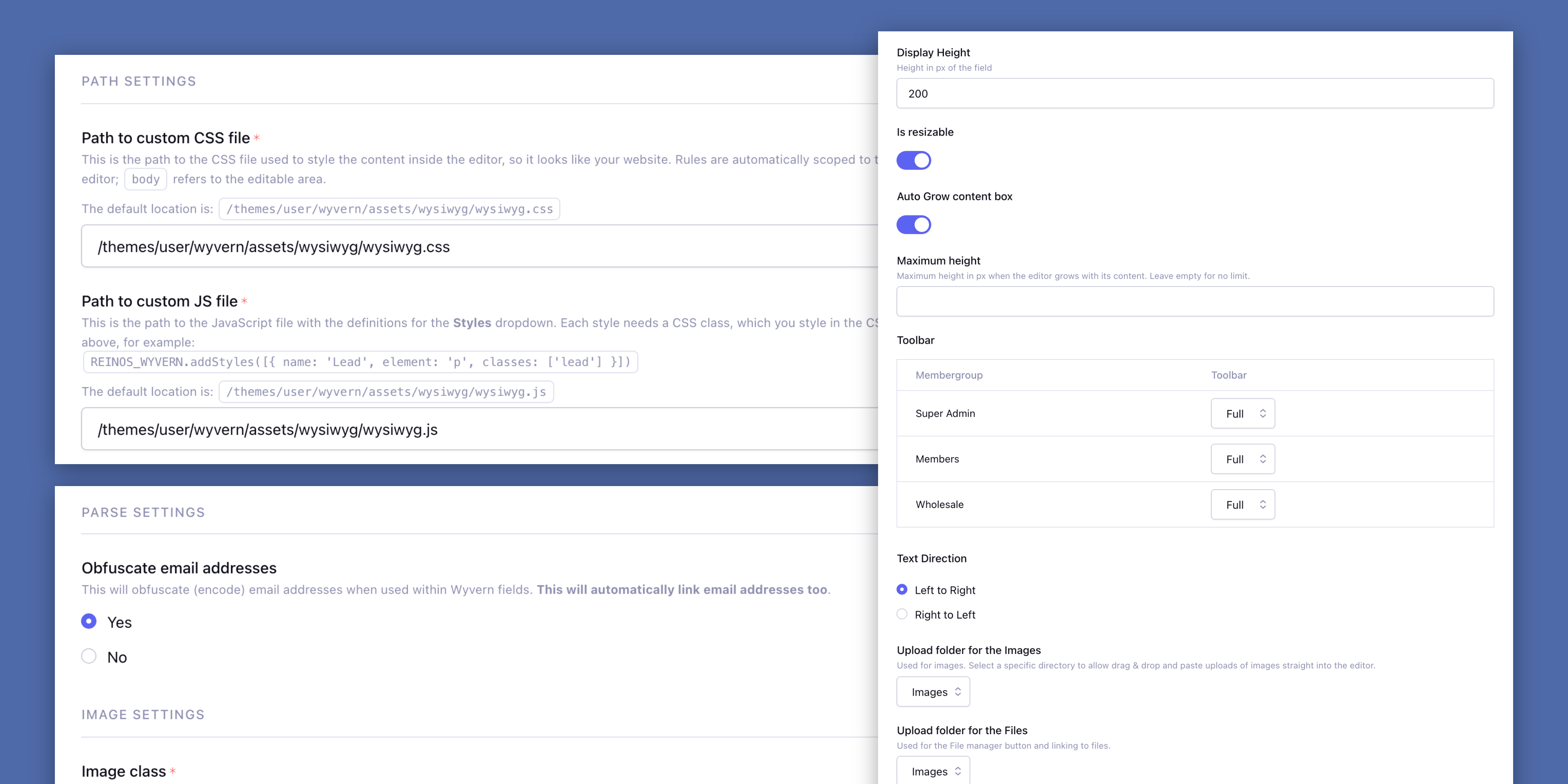
- Toolbar builder: Drag and drop toolbars with a live preview, a toolbar per member role and the allowed HTML per toolbar.
- Portable content: File and site URLs are stored as
{file:ID:url}and{base_url}, so the content moves with the site. - Email addresses protected: Email addresses in the text are encoded against spam bots on your site, and linked automatically.
- Works everywhere: Channel entries, Grid, Fluid, Channel Form, Low Variables and Bloqs.
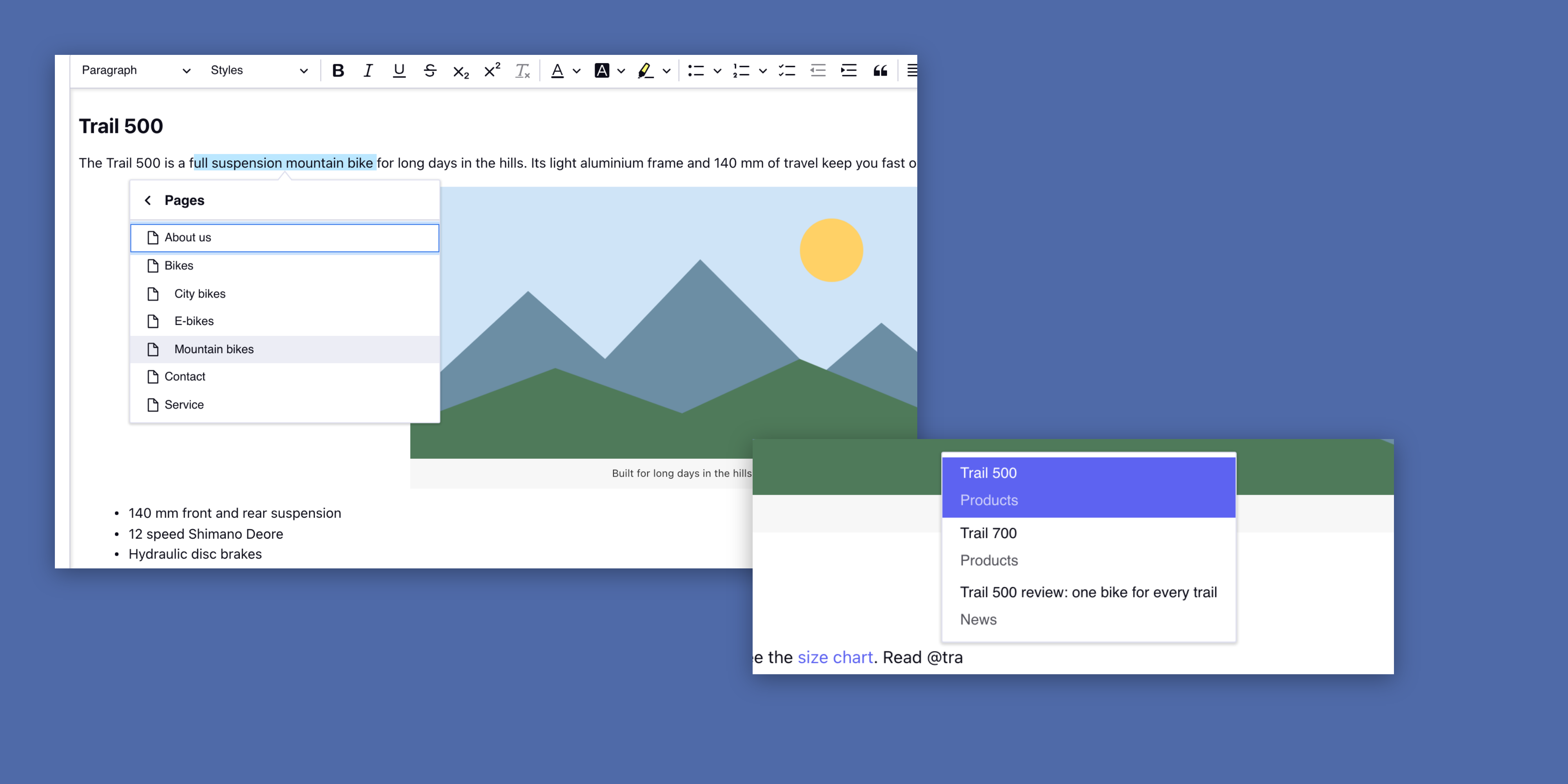
Link a page by typing @
Type @ and a few letters of a title. Wyvern lists your pages with their URL and the entries of the channels you choose, and inserts the link where you type.
The link is stored as {page_url:12} or {entry_url:345}, not as a URL. Rename a page or move it in Structure, and every link to it follows. A full URL of your own site that is pasted in becomes a page link when the entry is saved.
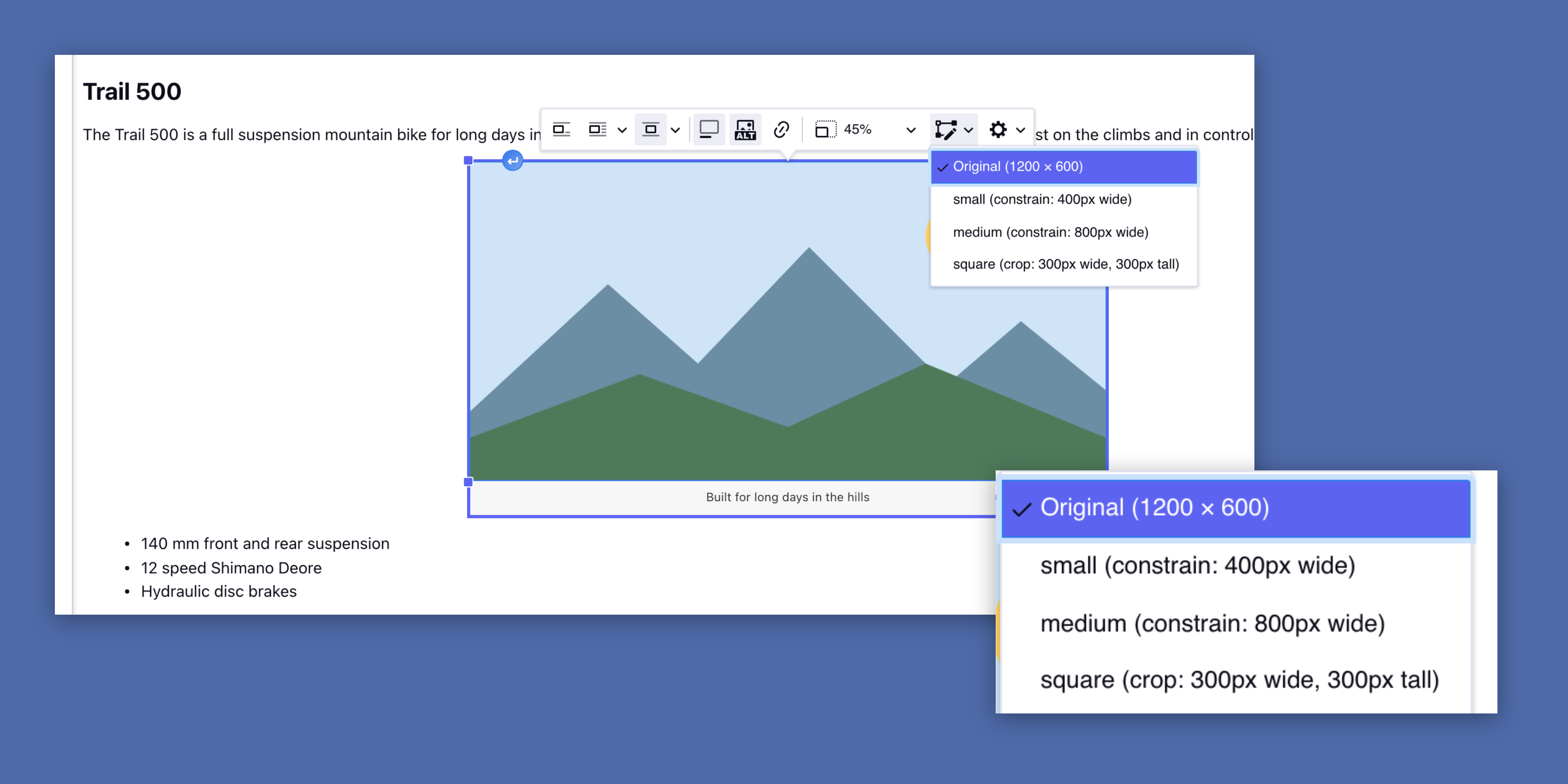
Drop an image, it’s in your File Manager
Drag or paste an image into the text and it is uploaded through the File Manager into the upload directory of the field. It shows up in Files and gets the image manipulations of that directory.
The image toolbar has alignment, caption, alt text and resize, and lets the editor pick one of those manipulations as the size.
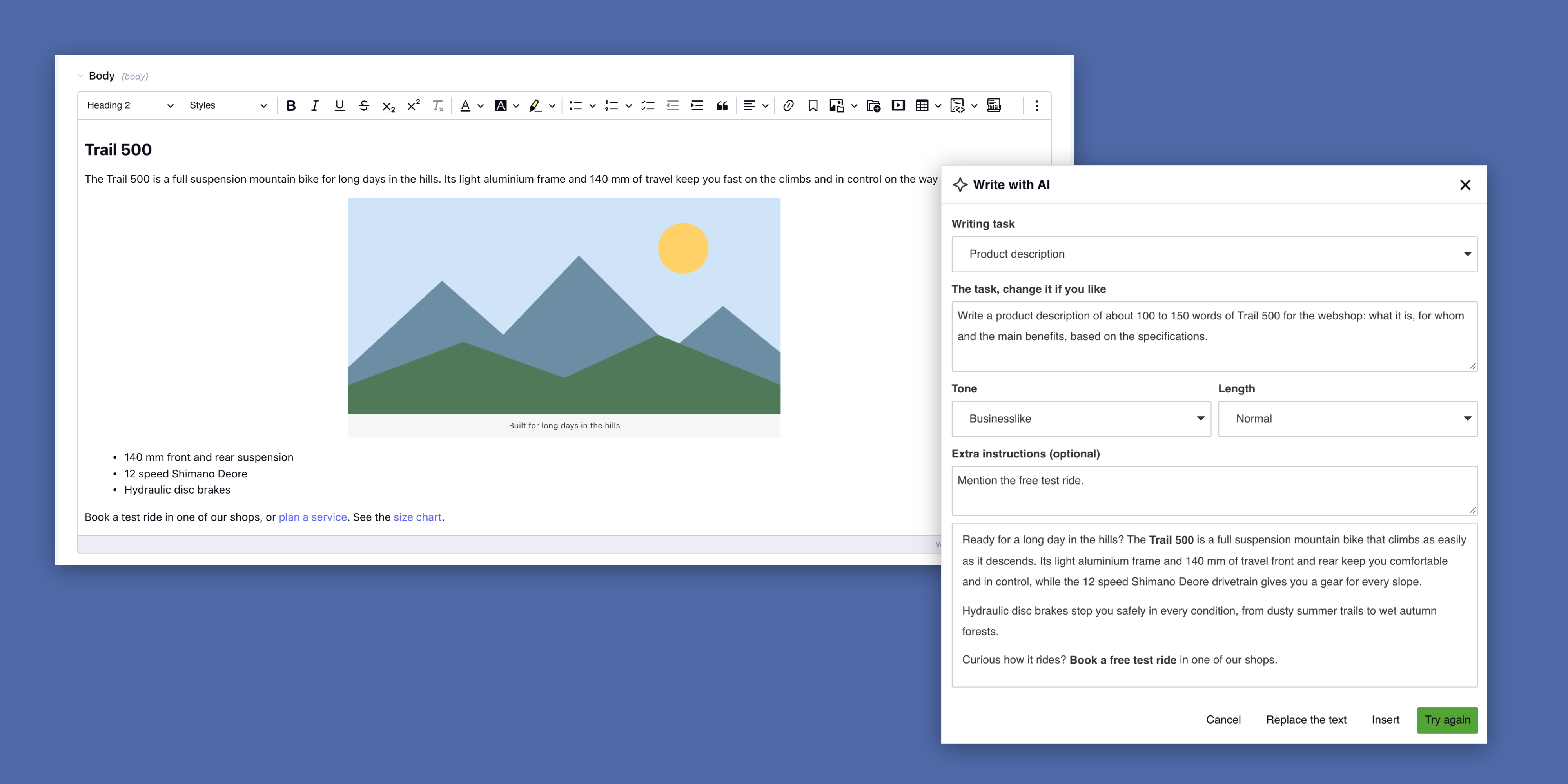
An assistant that has read the entry
Write with AI drafts a text from the title, the other fields, the categories and the related entries, in the tone and length you choose. Your own writing tasks, like a product or meta description, are one click away.
The AI only makes a proposal: nothing changes until the editor clicks Insert or Replace. You choose Claude, OpenAI or Gemini, use your own API key and see every request and its cost in the log.
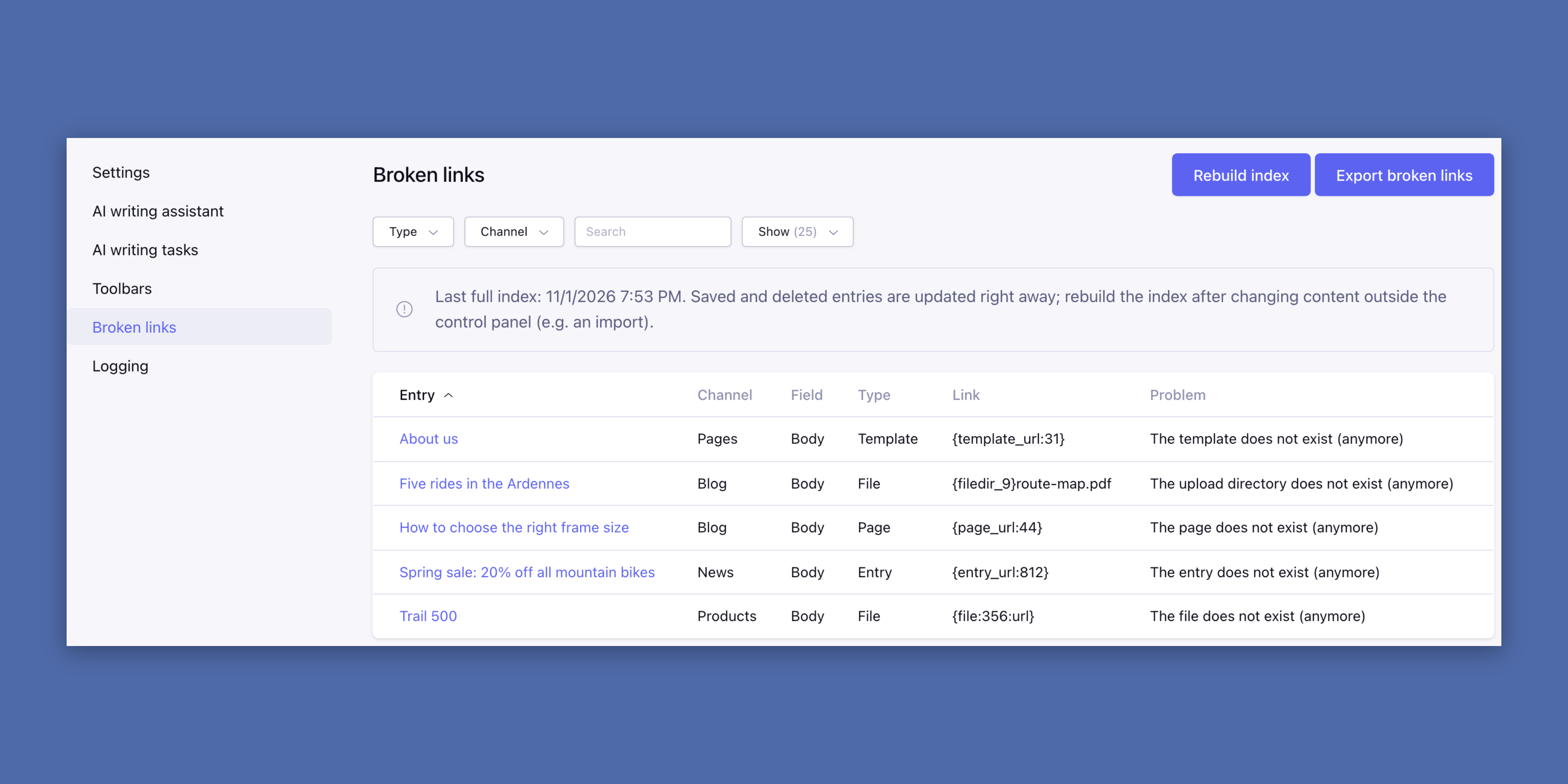
Know which link broke, and where
The Broken links page lists every link in Wyvern fields, Grid and Fluid included, that points to a deleted entry, page, template or file. Filter and sort it, export it to CSV, and click through to the entry to fix it.