


Role Expire
Description
Enables administrators to assign a time limit to specific Member Roles. After the limit is reached, members are automatically moved to a different “expired” Role, and optional notification emails can be sent beforehand.

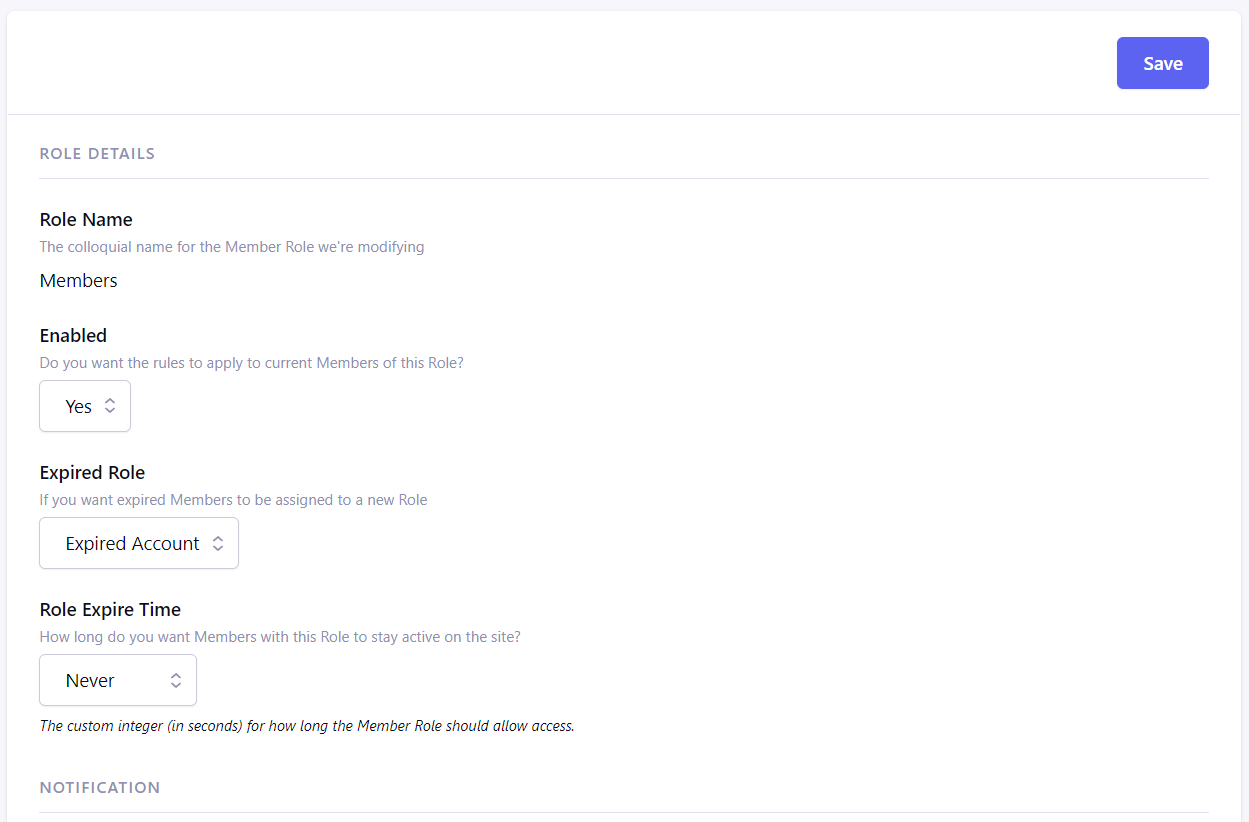
Role Expire helps automate membership workflows based on time constraints, reducing manual labor and increasing consistency in user access control. It also enhances communication with users by notifying them before their Role changes, giving them a chance to extend or act if needed.
Summary
| Feature | Details |
|---|---|
| Purpose | Time-limit a Member Role and handle automatic expiration |
| Role Eligibility | Applies to Roles with role_id >= 5 |
| Expiration Behavior | Automatically reassigns expired members to a defined Role |
| Notification Emails | Can send alerts before expiration (e.g. 7 days ahead) |
Typical Use Cases
Trial Memberships
- Grant trial users access to a special Role—for instance, “Trial Member”—that expires after a set duration (e.g. 30 days), then demote them to “Expired” or “Guest” Role automatically.
Temporary Campaign Access
- Provide time-limited access for users to content or services tied to a specific Role (e.g. a promotion or event), and automate the cleanup process afterward.
Automated Member Lifecycle Management
- Without manual oversight, you can manage transitions: from “Active Member” → “Expiring Soon” (trigger email) → “Expired Member”.
Features
Time-Limited Member Roles
- Choose any Member Role (with role_id ≥ 5) and specify how long members may retain that Role before expiring.
Automatic Role Transfer on Expiration
- After the time limit passes, members are automatically reassigned to a configurable “expired” Role.
Pre-Expiration Email Notifications
- Send configurable email alerts in advance—for example, 7 days before the member’s Role expires.