


Reinos Store MyParcel
Connect Reinos Store to MyParcel: offer PostNL, DPD, DHL for You and UPS at checkout, export orders as concept shipments by hand or automatically when paid, and get the shipment status back on the order through a webhook.
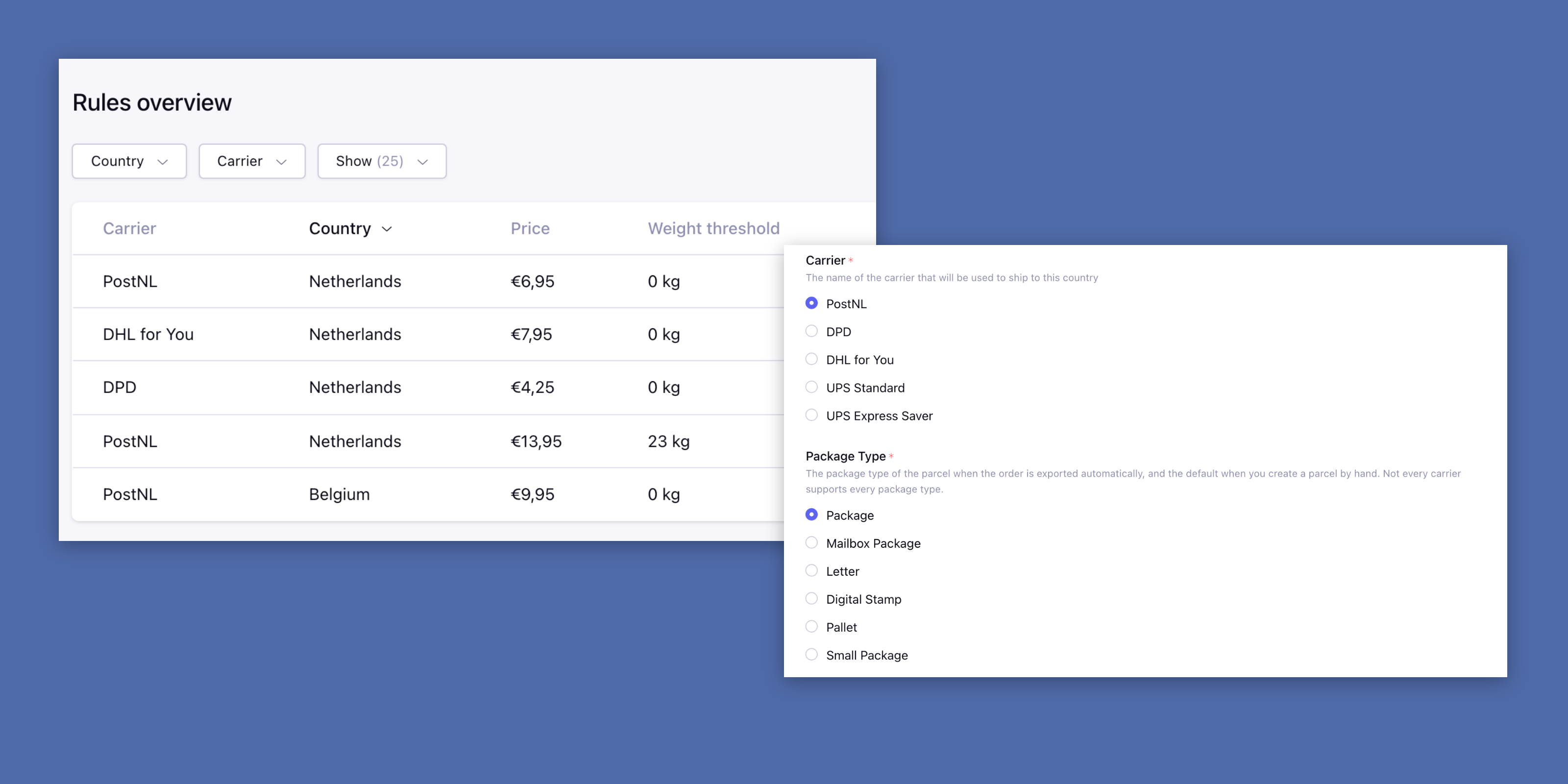
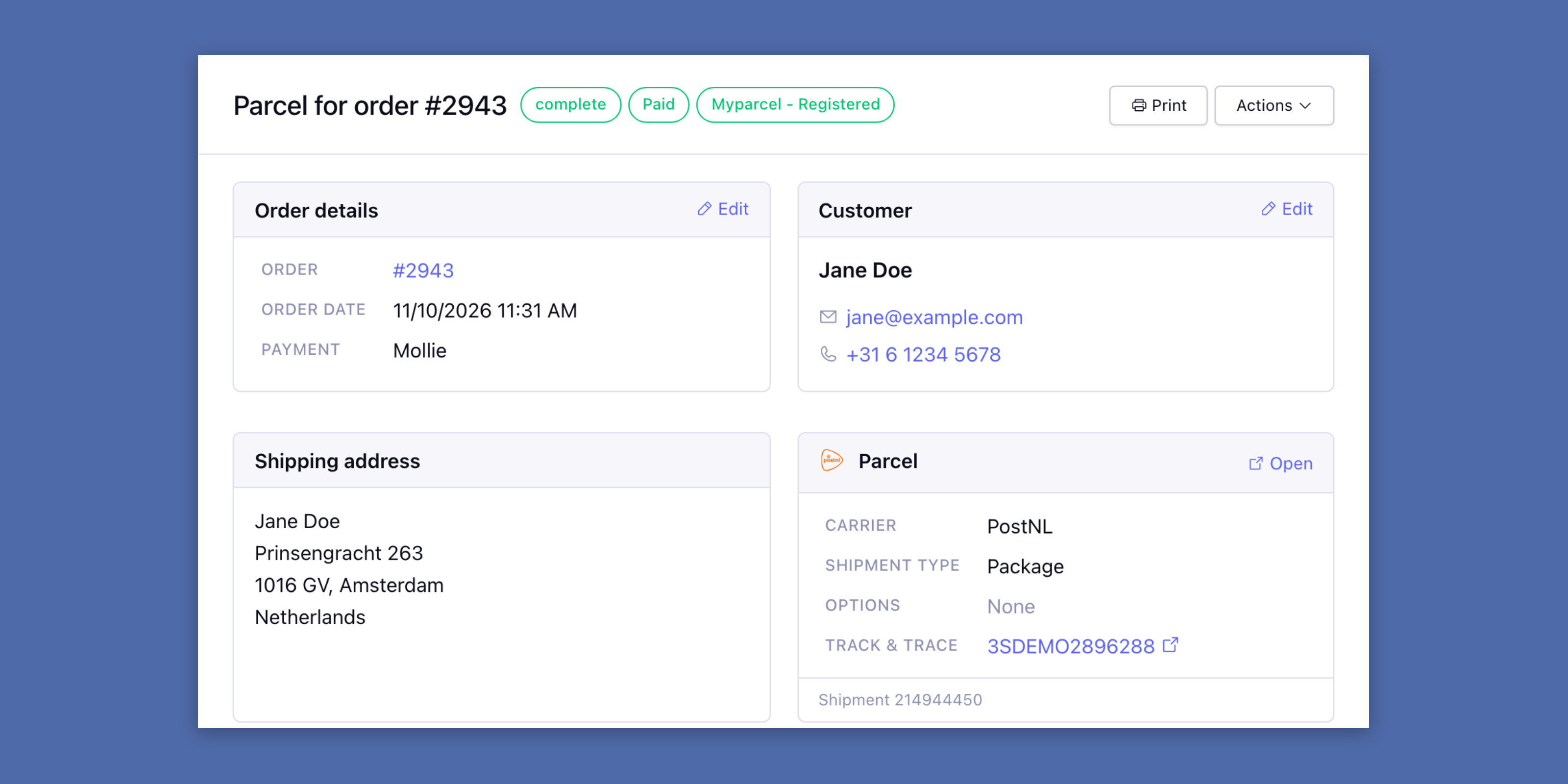
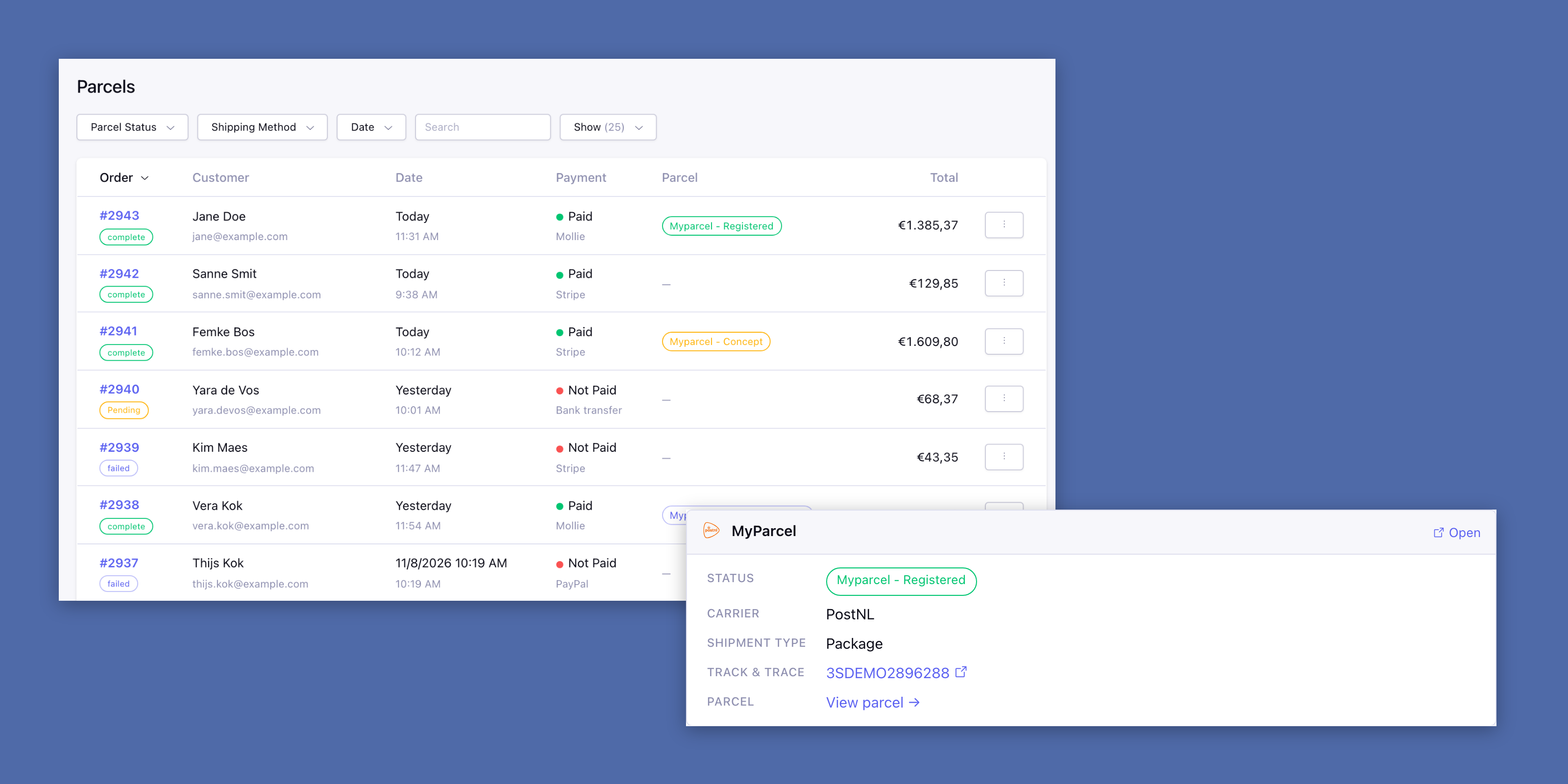
Store MyParcel connects Reinos Store to your MyParcel account. Your customers choose a carrier at checkout, the order goes to MyParcel as a concept shipment, and you print the label in MyParcel.
Key features
- Carriers at checkout: Offer PostNL, DPD, DHL for You and UPS, with your own price per country.
- Weight thresholds: Charge more for heavier carts.
- Export by hand: Create the parcel from the order, also for orders placed with another shipping method.
- Automatic export: A paid order with a MyParcel shipping method becomes a parcel by itself.
- Status sync: Saving the settings registers the webhook in your MyParcel account.
- Parcels overview: Every open order with its parcel status, filtered on status, shipping method or date.
- Address split: Street, house number and suffix are split the way the country writes them.
From order to parcel in one step
Open the order on the Parcels page, check the customer and the shipping address, and create the parcel. It goes to MyParcel as a concept shipment, with the carrier, the package type, the weight of the order and options like signature on delivery or an age check.
The parcel page then shows the track & trace code and links to the shipment in MyParcel. The Print button prints the order, invoice or packing slip.
The MyParcel status on the order
MyParcel calls the Hook URL when a shipment changes, and the status is also updated when you open the order. It shows as e.g. “Myparcel - Delivered at recipient” in the order overview, the order view and {order:shipping_status}.
The order view of Store gets a MyParcel panel with the carrier and the track & trace code, or a link to create the parcel.
A rule per carrier, country and weight
Every rule is a shipping method at checkout, with its label and price. Per carrier only the rule with the highest weight threshold the cart reaches is offered: a 12 kg cart with PostNL rules from 0 and 10 kg gets the 10 kg rule, next to a DPD rule from 0 kg.