


Reinos Store Email
Email templates for Reinos Store orders: sent on the order status, paid or shipped, with all order data, conditionals and tags in the content, and the order confirmation or invoice as PDF attachment.
Store Email is an extension of Reinos Store that takes over its order emails. You create the templates, choose when each one is sent and write the content with the data of the order.
Key features
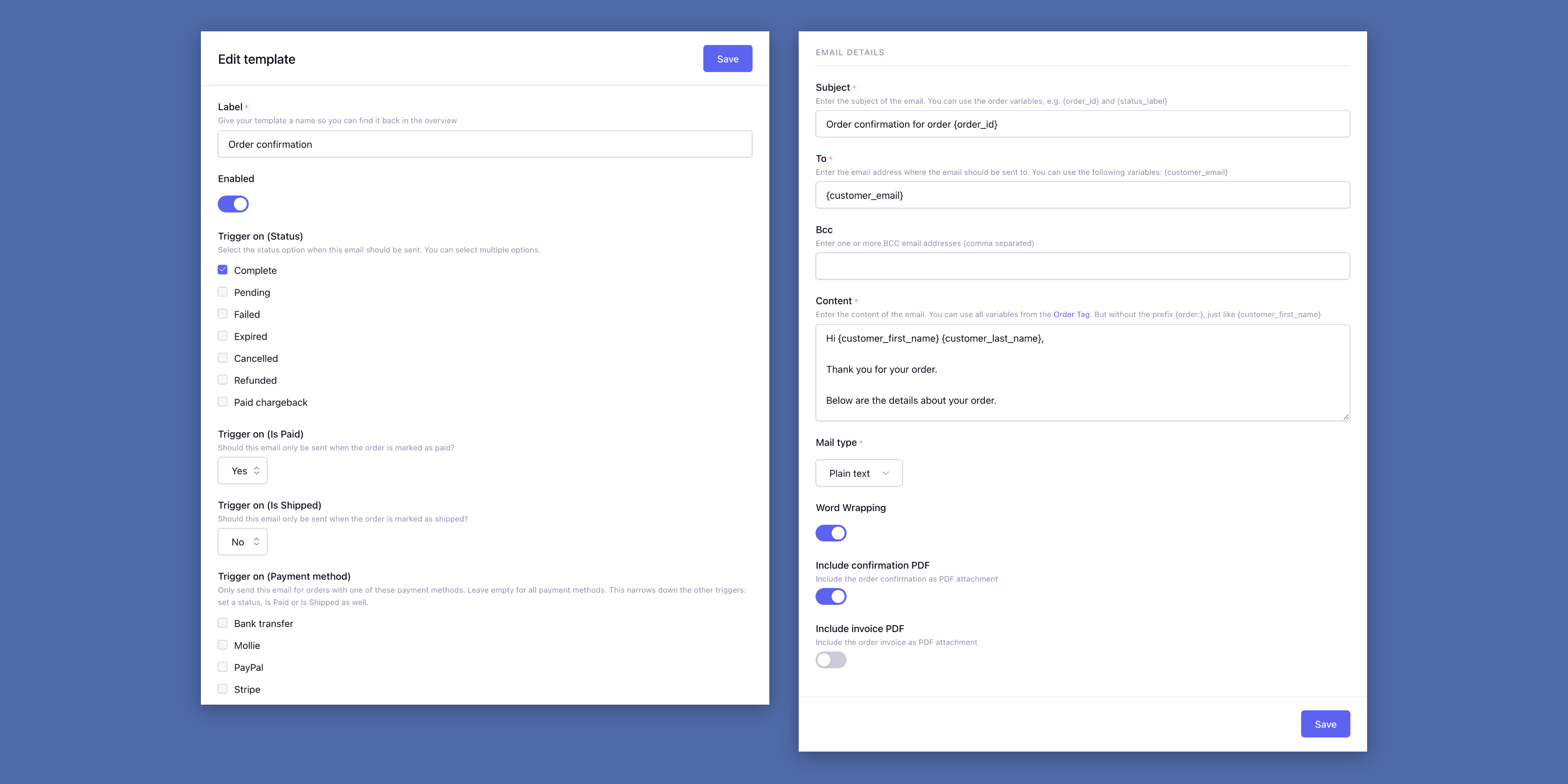
- Triggers: Send an email on a status, on paid or not paid, and on shipped or not shipped.
- Per payment method: Only send a template for orders with the payment methods you select.
- All order data: Write the content like an ExpressionEngine template, with every variable of the order.
- PDF attachments: Attach the order confirmation, the invoice or both.
- HTML or plain text: Every template has its own mail type, Bcc and word wrapping.
- Once per order: A template is sent once per order, the resend button of the order sends it again.
- Sent emails on the order: The order page in the Store shows which templates were sent, and when.
- Tested on save: A template is parsed with a test order and only saved when that works.
- Ready to start: The install creates a confirmation for paid orders and one for orders that wait for their payment.
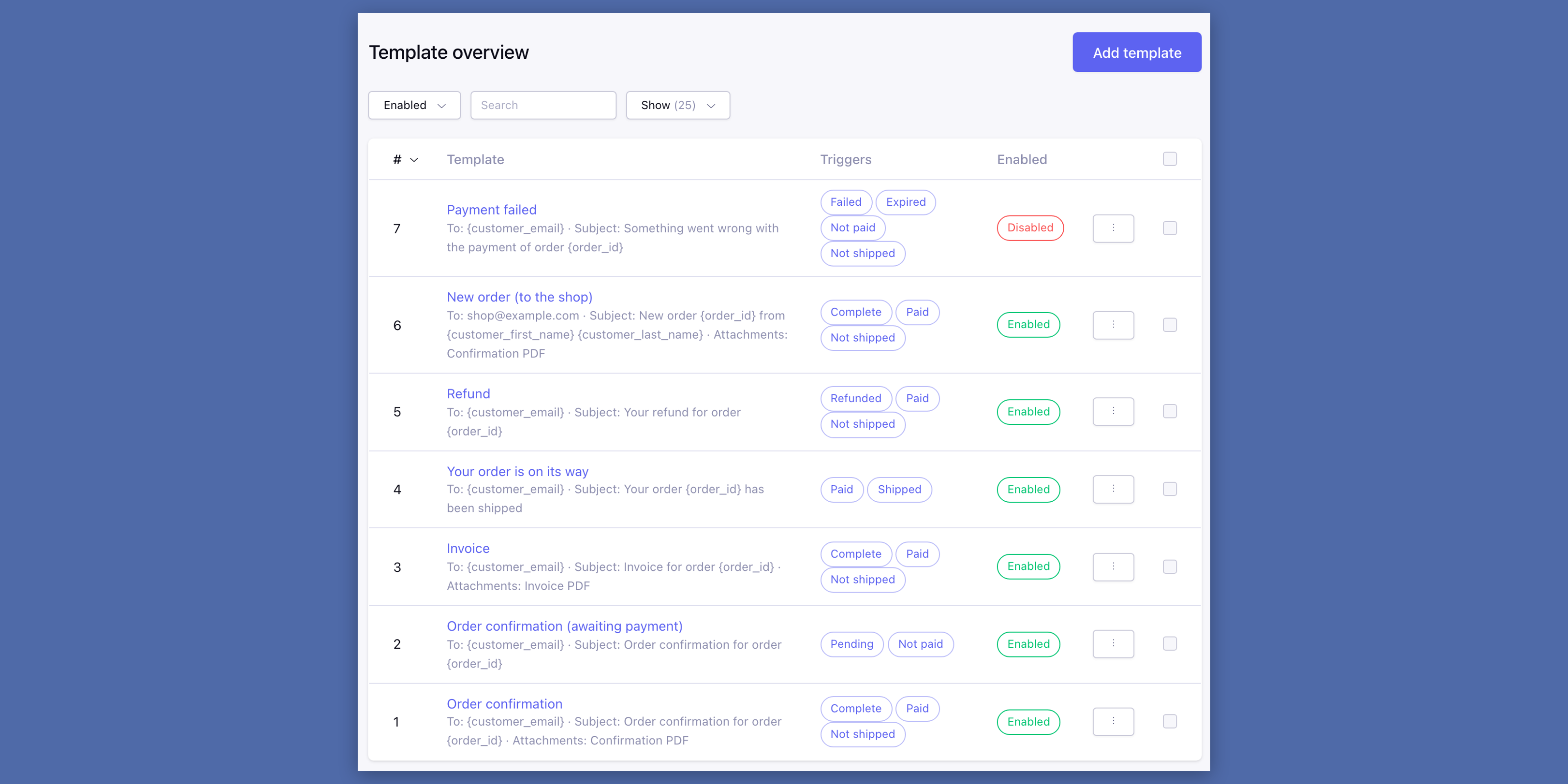
- Template overview: Find, switch on or off and copy your templates in a few clicks.
- Log filters and export: Filter the log on severity, date or keyword and export it as CSV.
The right email at the right moment
Every time an order is finished, or its status, paid state or shipping status changes, the enabled templates are checked against the order as it is now. A template is sent when all the triggers you set match.
So Complete and paid gives the order confirmation, paid and shipped the email that the order is on its way. Send it to {customer_email} or to your own address, like a new order for the shop.
All templates at a glance
The overview shows every template with its recipient, subject, attachments and triggers. Filter on enabled or a keyword, and enable, disable or delete several templates at once.
Duplicate a template to start a new one: the copy is disabled, so the same email isn’t sent twice.