


Publish Sections
Add sections with icons to publish entry forms
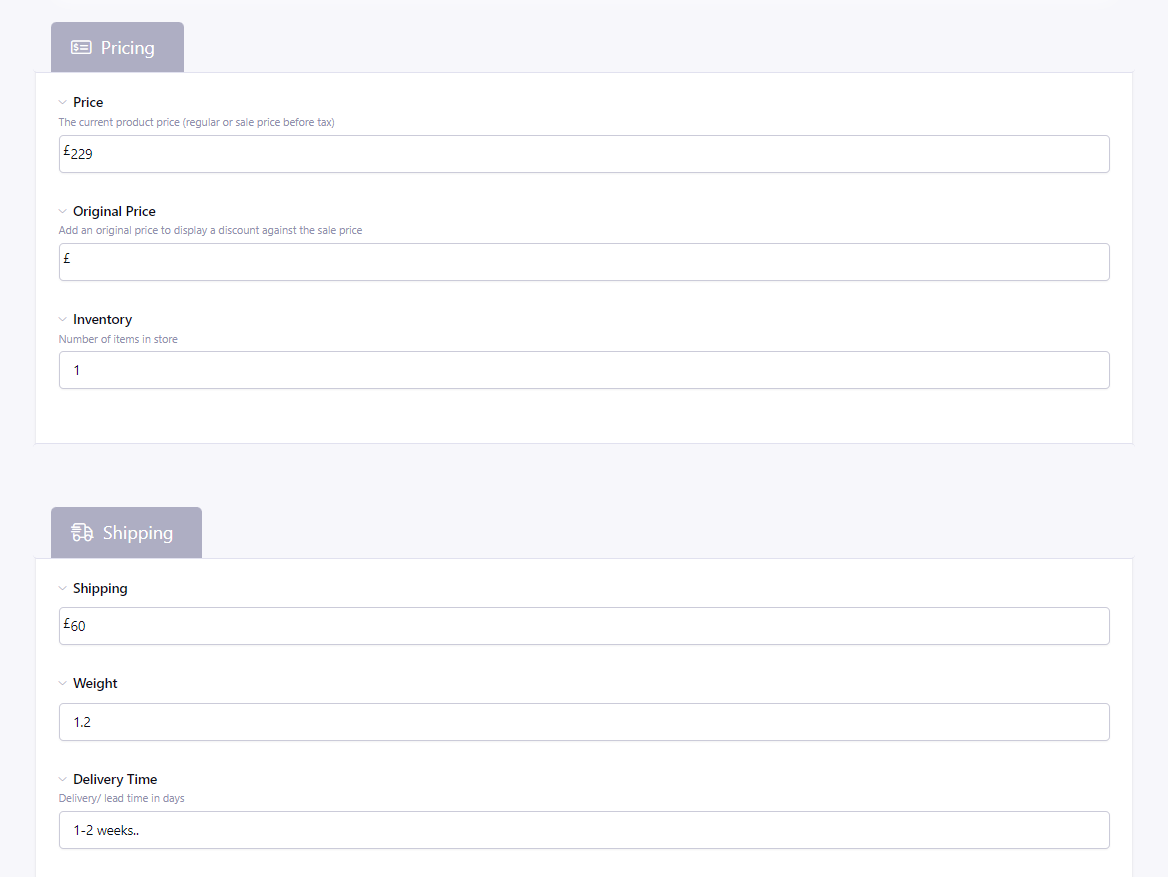
Publish Sections
Add sections to the publish screen using field label and instructions.
Useful for separating fields visually into groups s where there are a large number of fields.
Requirements
Requires EE7.0+ and PHP 7.4
Installation
Download the add-on and unzip its contents. Copy entire publish_sections folder to your system/user/addons folder. On your EE backend, navigate to Developer > Addons (yoursite.com/admin.php?/cp/addons). Scroll down to the Uninstalled section. Find Publish Sections and click Install.
Setup
Create a field with the Publish Section fieldtype. Select a display style and an icon to go with it from the field settings. Optionally make the section collapsible from within the field settings. Add the field to your channel. Go to the channel layout and position the section where you’d like to appear.
Tip
To differentiate the field name from other fields, you may prefix the field name with a one (or more) dashes. The dashes would be removed from the publish view.