


AddSearch Crawl
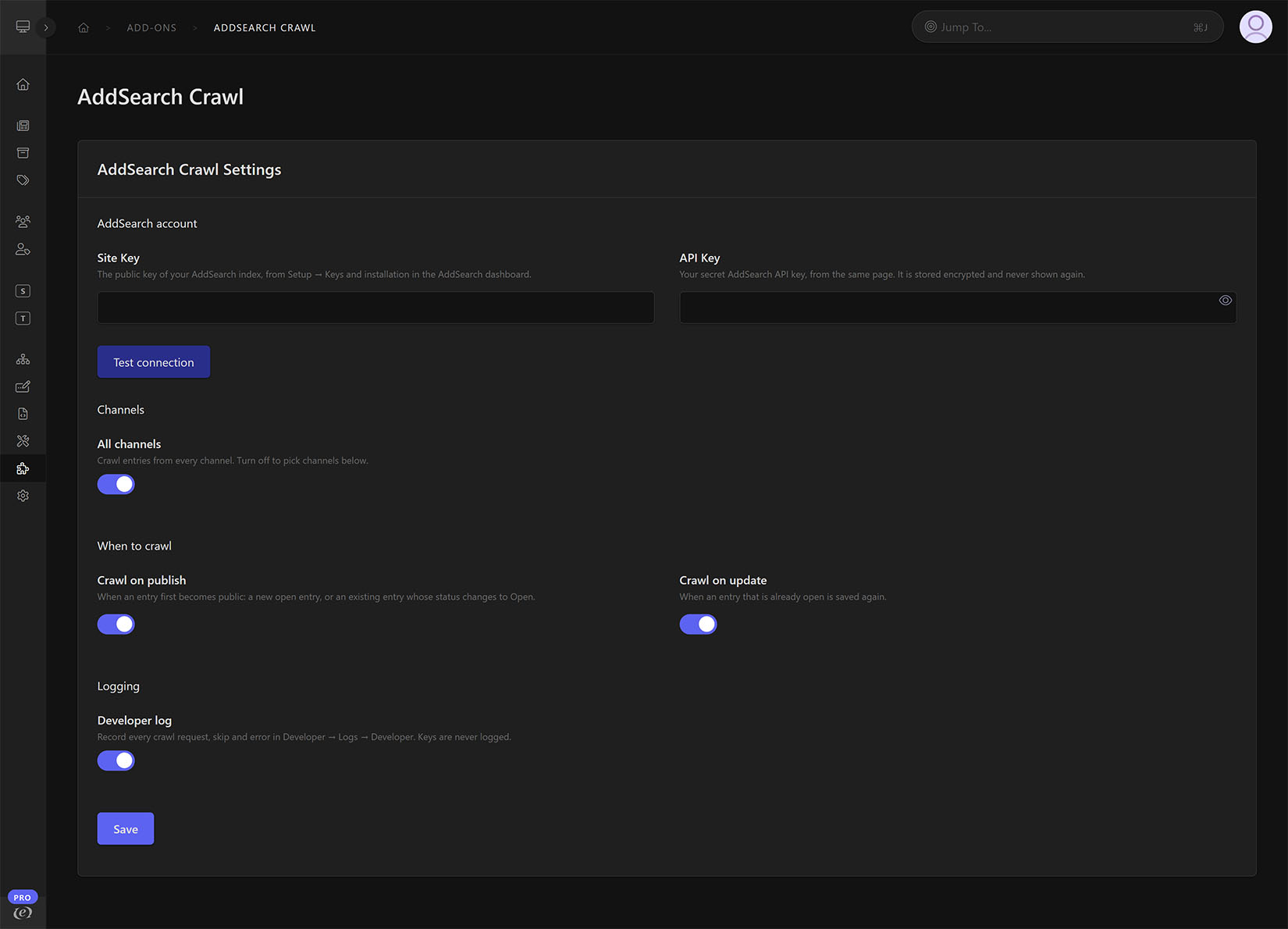
AddSearch Crawl keeps your AddSearch index in step with ExpressionEngine: the moment an entry is published or updated, it asks AddSearch to crawl that entry’s URL — Structure, Pages and Channel URLs resolved for you, credentials verified and stored encrypted, every request logged — so editors never touch the AddSearch dashboard and search results follow a publish within a minute.
AddSearch Crawl for ExpressionEngine
Keep your AddSearch index in step with your site. The moment an editor publishes or updates an entry, AddSearch Crawl asks AddSearch to crawl that entry’s URL, so search results reflect the change within about a minute instead of waiting for the next scheduled crawl. Editors keep publishing; nobody touches the AddSearch dashboard.
Highlights
- Hands-free crawl requests: Hooks into ExpressionEngine’s entry saves and fires on publish, on update, or both. A save from the publish form, a bulk status change, Channel Form or an MCP client all count.
- Publish means “became public”: A new Open entry or an entry whose status changes to Open is a publish; a save of an already Open entry is an update; anything not Open is never crawled.
- Structure and Pages aware: URLs come from the site’s own page map, so Structure pages, Structure listings and Pages entries are crawled at exactly the URL their templates link to (trailing slash included if Structure adds one). Other channels use their Channel URL.
- Precise scope: Crawl every channel or only the ones you pick; under Multi-Site Manager the channel list names each site.
- Safe configuration: The API key is stored encrypted with ExpressionEngine’s own Encrypt service, shown masked, and never sent to the browser. Test connection checks both keys with a read-only call before you save, and Save refuses keys AddSearch rejects.
- Actionable logs: Every request, skip and error is written to the Developer Log with the entry id, the URL, AddSearch’s answer and the reason; keys are never logged.
- Never in the way: A crawl request waits at most fifteen seconds and a failure is logged, never shown to the editor and never blocks the save.
- Native control panel: ExpressionEngine 7 toggles, field layout and alerts, in light and dark mode.
- Manual in the Control Panel: The full manual renders on the add-on’s Manual page in the Add-on Manager, with the same content online.
How it works
- Install the add-on and enter your AddSearch Site Key and API Key on its Settings page.
- Choose the channels and whether to crawl on publish, on update, or both.
- Publish or update an entry. AddSearch schedules a crawl of its URL and the index follows within about a minute.
Requirements
- ExpressionEngine 7.2 or later on PHP 8.1 or later (with the
curlandopensslextensions) - An AddSearch account with API access (Site Key and API Key)
Pricing & license
$29 per license, then $15 a year to renew. One license covers a single production site plus one related staging/development site; each additional production site needs its own license. Each license includes a year of updates. If it lapses, nothing stops working: ExpressionEngine shows an “expired” notice in the control panel until you renew. Commercial-use license — you may modify the add-on for your licensed site, but it may not be resold or redistributed except as part of a completed client site covered by a license. See the full license terms linked from the listing.
Support
Full documentation is linked from this listing and renders inside the Control Panel on the add-on’s Manual page. If something isn’t working, turn on the Developer log, publish a test entry, and share the relevant entries with [email protected].
AddSearch Crawl is independently developed by Multimediality and is not affiliated with AddSearch.